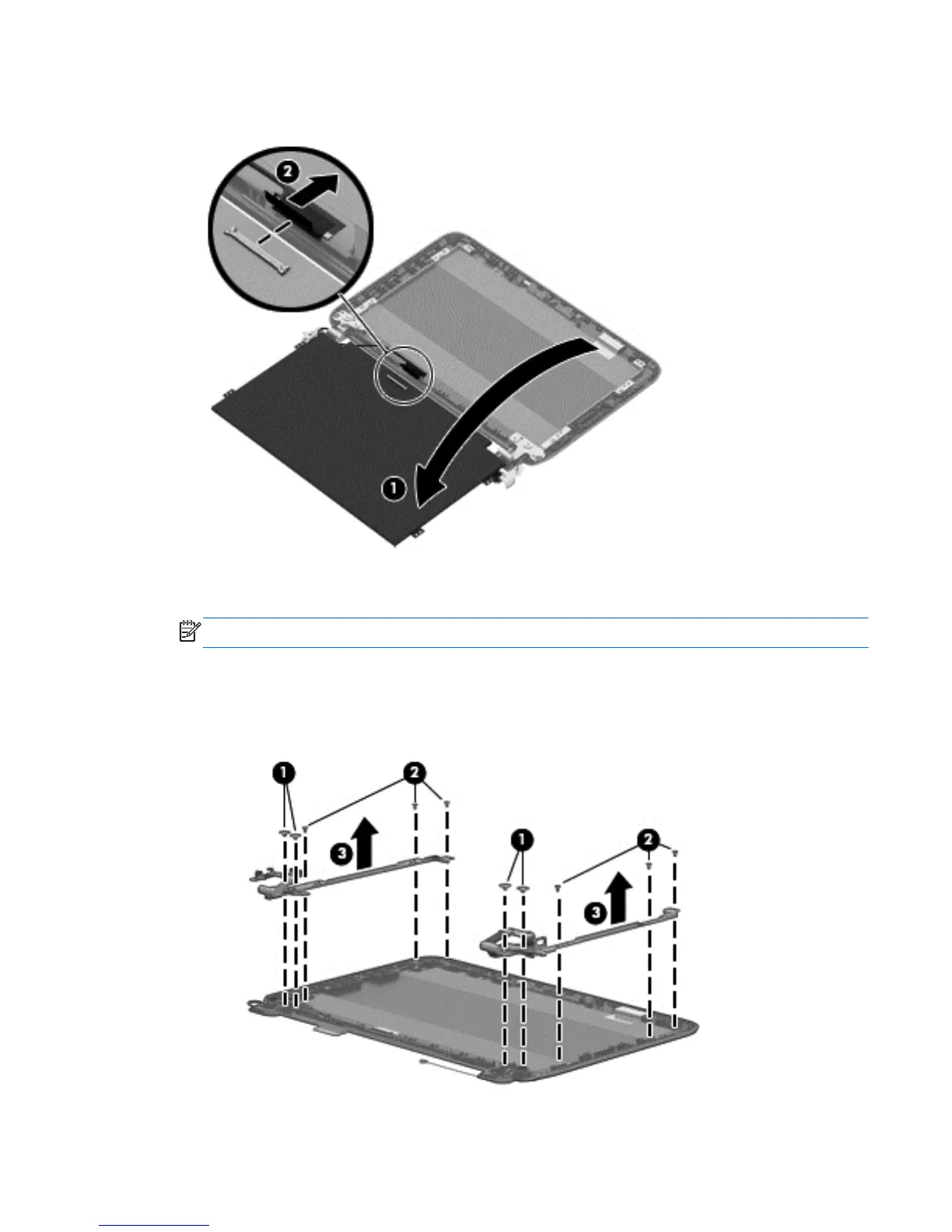
5. Carefully tilt the panel forward (1), disconnect the panel connection (2) and lift the panel to
remove it.
6. If it is necessary to replace the WLAN antenna cable, display cable or webcam, follow these
procedures:
NOTE: The display hinges are spared with the back cover.
a. Position the display back cover face up.
b. Remove the display brackets by removing the 10 Phillips and broadhead screws (1) and
(2), securing the hinge brackets to the back cover, and then lift the brackets (3) to remove
them.
Component replacement procedures 33





 To Next Page