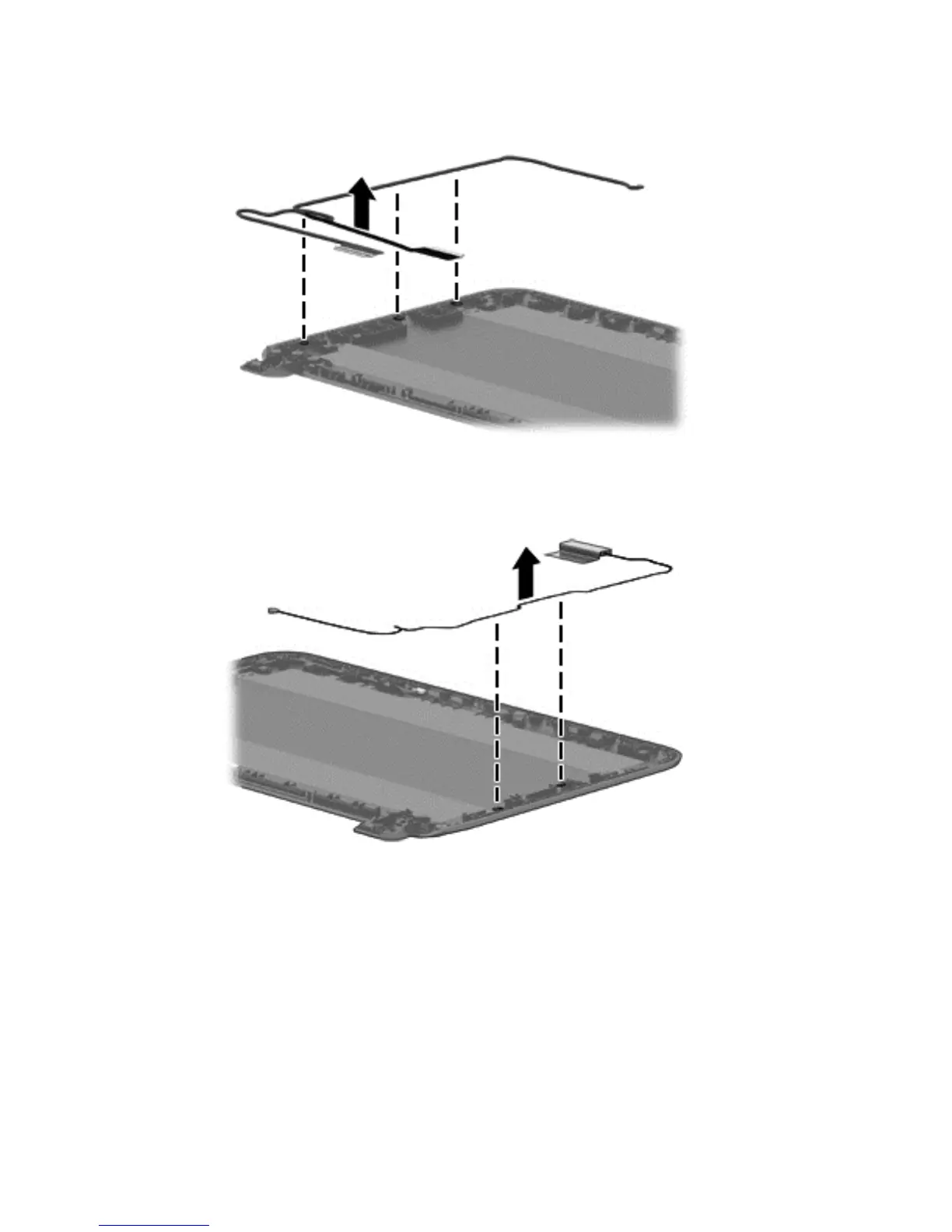
c. Remove the display cable by releasing the wires from the retaining channels of the back
cover and lift the cable to remove it.
d. Release the wireless antenna transceivers from the back cover. (The wireless antenna
transceivers are attached to the display bezel with double-sided tape.)
e. Remove the wireless antenna from the retaining channels, and lift the antenna.
34 Chapter 5 Removal and replacement procedures for Authorized Service Provider parts





 To Next Page