Left side
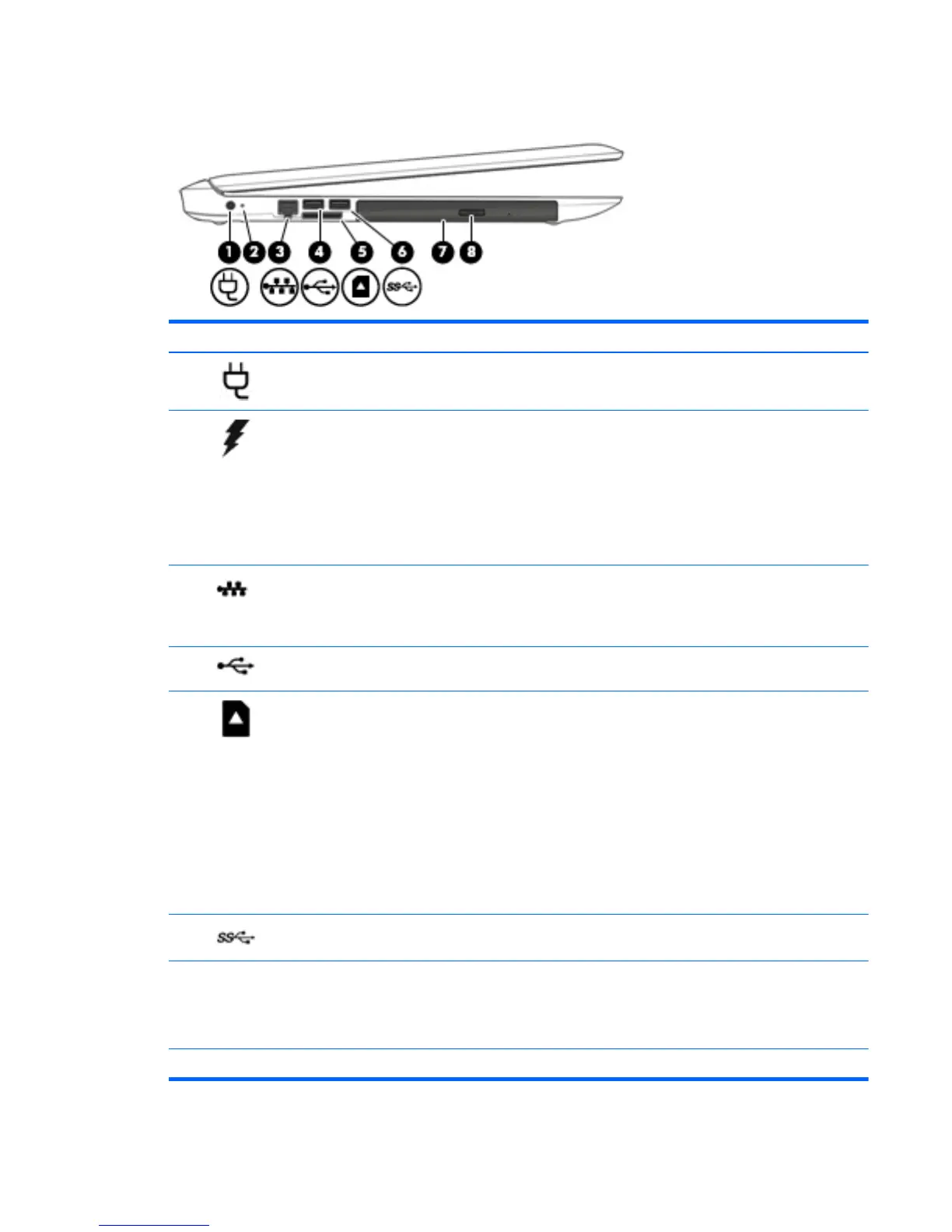
Component Description
(1)
Power connector Connects an AC adapter.
(2)
AC adapter/battery light
●
White: The AC adapter is connected and the battery is fully
charged.
●
Blinking white: The AC adapter is disconnected and the
battery has reached a low battery level.
●
Amber: The AC adapter is connected and the battery is
charging.
●
Off: The battery is not charging.
(3)
RJ-45 (network) jack/status lights Connects a network cable.
●
White: The network is connected.
●
Amber: Activity is occurring on the network.
(4)
USB 2.0 port Connects an optional USB device, such as a keyboard, mouse,
external drive, printer, scanner or USB hub.
(5)
Memory card reader Reads optional memory cards that enable you to store, manage,
share, or access information.
To insert a card:
1. Hold the card label-side up, with connectors facing the
computer.
2. Insert the card into the memory card reader, and then
press in on the card until it is firmly seated.
To remove a card:
▲
Press in on the card, and then remove it from the memory
card reader.
(6)
USB 3.0 port Connects an optional USB device, such as a keyboard, mouse,
external drive, printer, scanner or USB hub.
(7) Optical drive Depending on your computer model, reads an optical disc or
reads and writes to an optical disc.
NOTE: Type support in the taskbar search box, and then
select the HP Support Assistant app.
(8) Optical drive eject button Opens the optical drive tray.
ENWW Left side 7


 To Next Page
 Loading...