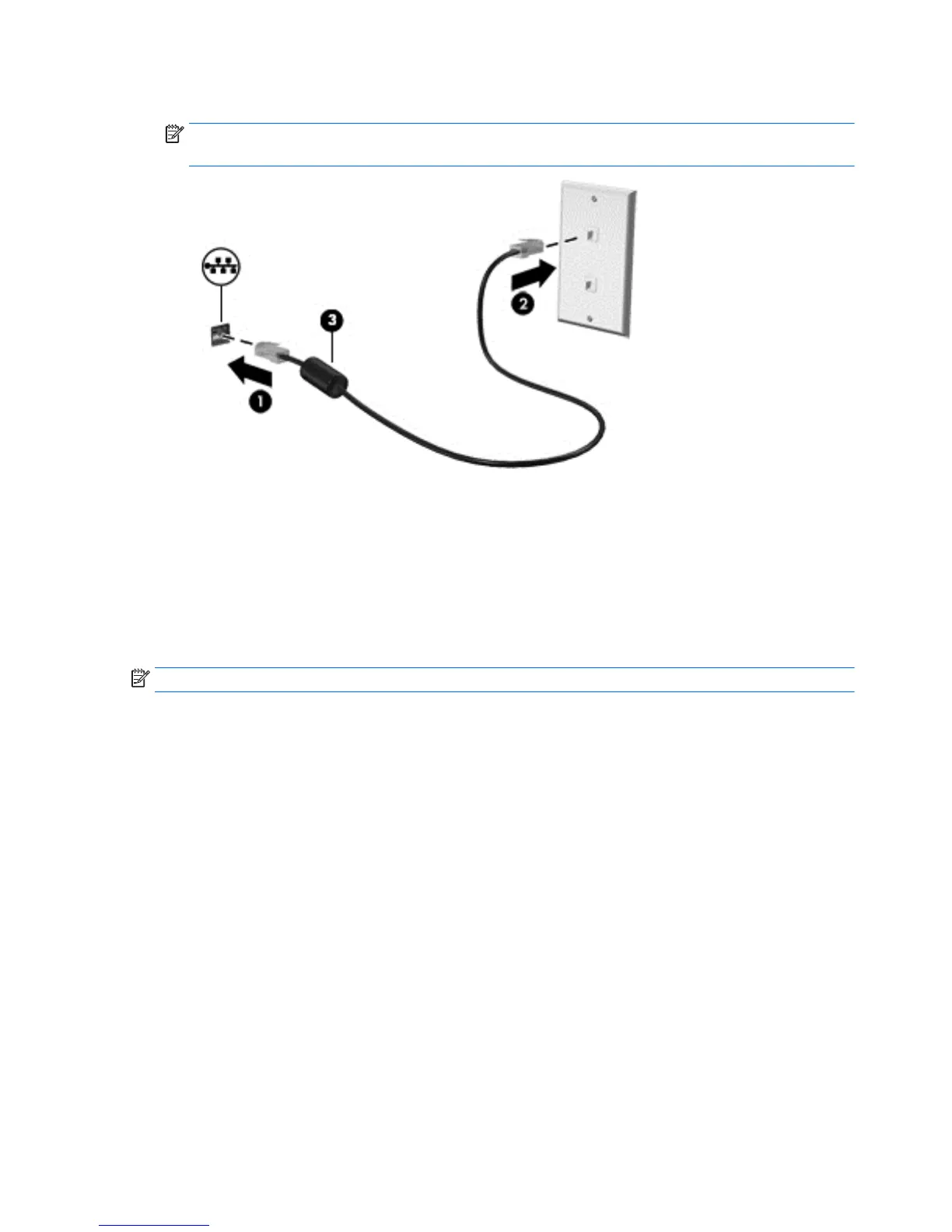
2. Plug the other end of the network cable into a network wall jack (2) or router.
NOTE: If the network cable contains noise suppression circuitry (3), which prevents interference from
TV and radio reception, orient the circuitry end of the cable toward the computer.
Sharing data and drives and accessing software
When your computer is part of a network, you are not limited to using only the information that is stored in
your computer. Computers connected to the network can exchange software and data with each other.
For more information about sharing files, folders, or drives, see the information provided in the Get started
app.
▲
Select the Start button, and then select the Get started app.
NOTE: When a disc like a DVD movie or game is copy-protected, it cannot be shared.
20 Chapter 3 Connecting to a network ENWW


 To Next Page
 Loading...