EasyManua.ls Logo

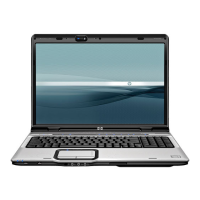
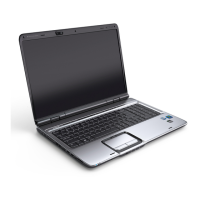
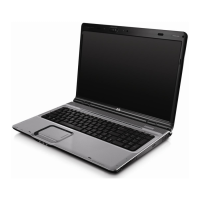
HP Pavilion dv9000 - User Manual

HP Pavilion dv9000
32 pages
Print Icon
To Next Page IconTo Next Page
Loading...
Notebook Tour
User Guide

Other manuals for HP Pavilion dv9000

Questions and Answers

  • F
    Frank FreemanJul 26, 2025
    What to do if the keyboard is not operating properly on my HP Pavilion dv9000?
    • J
      Jordan DickersonJul 26, 2025
      If your HP Laptop's keyboard isn't working correctly, try connecting an external keyboard to the computer to see if that works. If it does, try reseating the internal keyboard connector if you are able to do so.
  • W
    William MitchellJul 31, 2025
    What to do if there is no network or modem connection on my HP Pavilion dv9000?
    • L
      lbruceJul 31, 2025
      If your HP Laptop isn't connecting to the network or modem, first verify that the network or modem jack is active. If the connection is active, try reloading the drivers and reconfiguring your network settings.
  • T
    Thomas SchmidtAug 5, 2025
    What to do if the pointing device is not operating properly on my HP Pavilion dv9000?
    • B
      Benjamin FordAug 5, 2025
      If the pointing device on your HP Laptop isn't working properly, connect the computer to a known good external pointing device. If that doesn't work, reseat the internal pointing device connector, if possible.
  • A
    abbottrobertAug 9, 2025
    How to fix no audio on my HP Pavilion dv9000 Laptop?
    • B
      Barbara HopkinsAug 9, 2025
      If your HP Laptop is not producing any sound, first, check the internal and external audio levels and turn them up. If that doesn't work, try connecting to an external speaker.
  • D
    Darrell LucasAug 14, 2025
    How to troubleshoot no power on my HP Pavilion dv9000 Laptop?
    • C
      cody12Aug 15, 2025
      If your HP Laptop is not turning on and the power LED is off, try the following: 1. Reseat the power cables in the docking device and at the AC outlet. 2. Ensure the AC power source is active. 3. Make sure the power strip is working.
  • L
    Lindsey CastilloAug 19, 2025
    What to do if there is a nonfunctioning device connected to my HP Pavilion dv9000?
    • V
      Veronica NortonAug 19, 2025
      If a device connected to your HP Laptop isn't functioning, first reseat the device. If that doesn't work, unplug the nonfunctioning device from the computer and inspect the cables and plugs for bent or broken pins or other damage.

Summary

Components

Top Components

Details touchpad, buttons, and scroll zone functions.

Indicator Lights

Explains the status and function of different indicator lights on the device.

Buttons, Switches, and Speakers

Describes the function of various buttons, switches, and speaker locations.

Keys and Hotkey Reference

Explains the function of special keys and hotkey combinations for system control.

Front Components

Identifies and describes components located on the front of the computer.

Rear Components

Details the vents for internal component cooling and airflow.

Right-Side Components

Identifies and describes ports and connectors on the right side of the computer.

Left-Side Components

Identifies and describes ports and slots on the left side of the computer.

Bottom Components

Details the battery bay, vents, storage bays, and memory module slots on the bottom.

Display Components

Describes internal microphones, camera, and the display switch on the screen assembly.

Wireless Antennae

Explains the location and purpose of wireless antennae on select computer models.

External Hardware Components

Lists and describes external hardware components like power adapters and cables.

Computer Labels

Explains the purpose and location of different labels affixed to the computer.

Specifications

Operating Environment

Provides environmental operating conditions like temperature, humidity, and altitude limits.

Rated Input Power

Specifies the operating voltage and current requirements for the computer.

Expansion Port I;O Signals

Details the input and output signals supported by the computer's expansion port.

HP Pavilion dv9000 Specifications

General IconGeneral
Wireless802.11a/b/g
AudioAltec Lansing speakers
ProcessorIntel Core 2 Duo / AMD Turion 64 X2
Display17-inch WXGA+
GraphicsNVIDIA GeForce Go 7600
Operating SystemWindows Vista or Windows XP
Optical DriveDVD±RW
USB Ports3
PortsVGA, Ethernet
Card Reader5-in-1
RAM1 GB to 4 GB
BluetoothOptional

Related product manuals