96 An introduction to HP apps
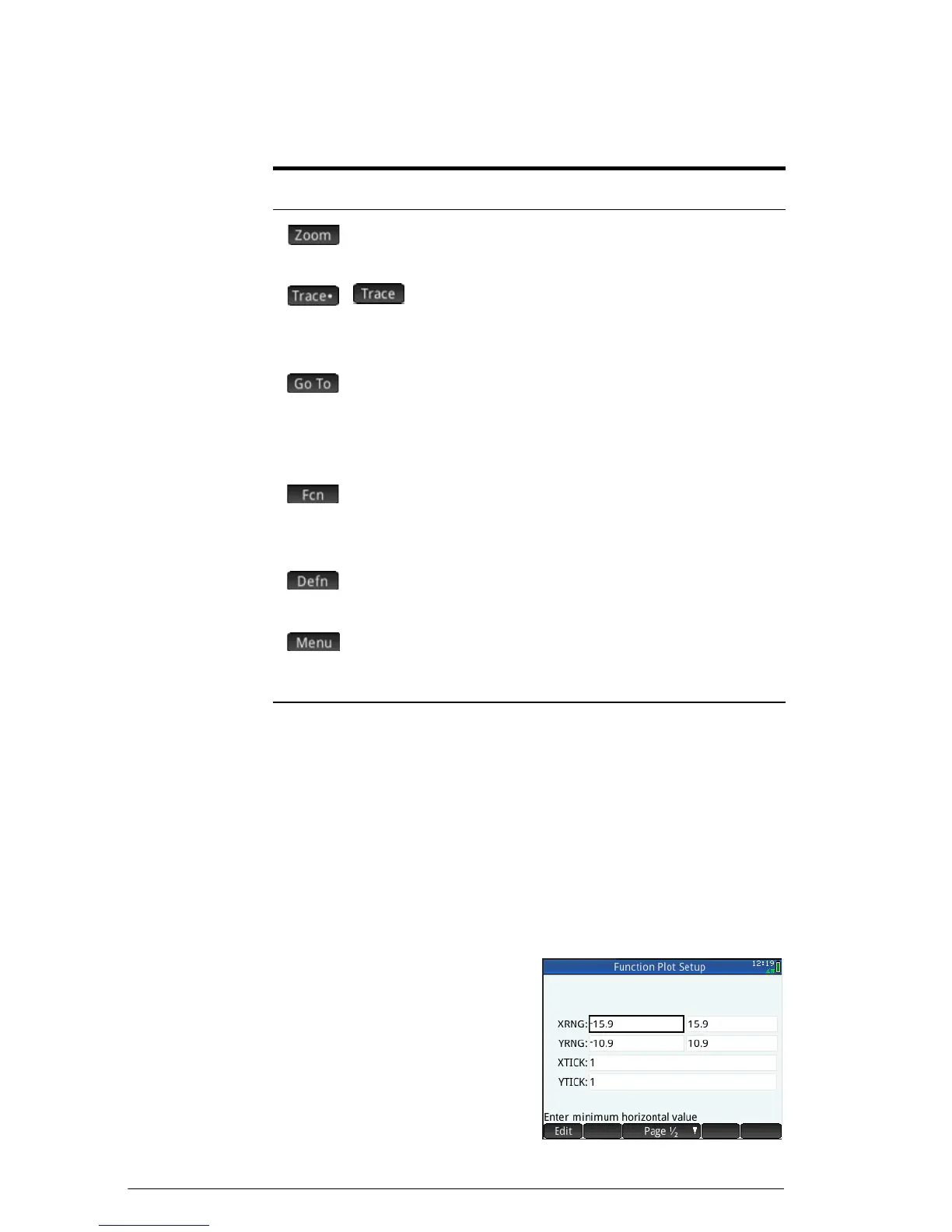
Plot view: Summary of menu buttons
Common operations in Plot Setup view
This section covers only operations common to the apps
mentioned. See the chapter dedicated to an app for the app-
specific operations done in Plot Setup view.
Press
SP to open Plot Setup view.
Configure Plot view
[Scope: Advanced Graphing,
Function, Parametric, Polar,
Sequence, Statistics 1 Var,
Statistics 2Var]
The Plot Setup view is used to
configure the appearance of Plot
view and to set the method by
which graphs are plotted. The
Button Purpose
Displays a menu of zoom options. See
“Zoom options” on page 88.
/
A toggle button for turning off and turning
on trace functionality. See “Trace” on
page 94.
Displays an input form for you to specify a
value you want the cursor to jump to. The
value you enter is the value of the
independent variable.
[Function only]
Displays a menu of options for analyzing a
plot. See “Analyzing functions” on
page 118.
Displays the definition responsible for
generating the selected plot.
A toggle button that shows and hides the
other buttons across the bottom of the
screen.


 To Next Page