An introduction to HP apps 95
2. If the menu at the bottom of the screen is not open, tap
.
3. If more than one definition is plotted, ensure that the trace
cursor is on the plot of the definition you want to evaluate.
You can press
to see the definition of a plot, and
press
= or \ to move the trace cursor from plot to plot.
4. If you pressed
to see the definition of a plot, the menu
at the bottom of the screen will be closed. Tap to re-
open it.
5. Tap .
6. Enter 25 and tap .
7. Ta p .
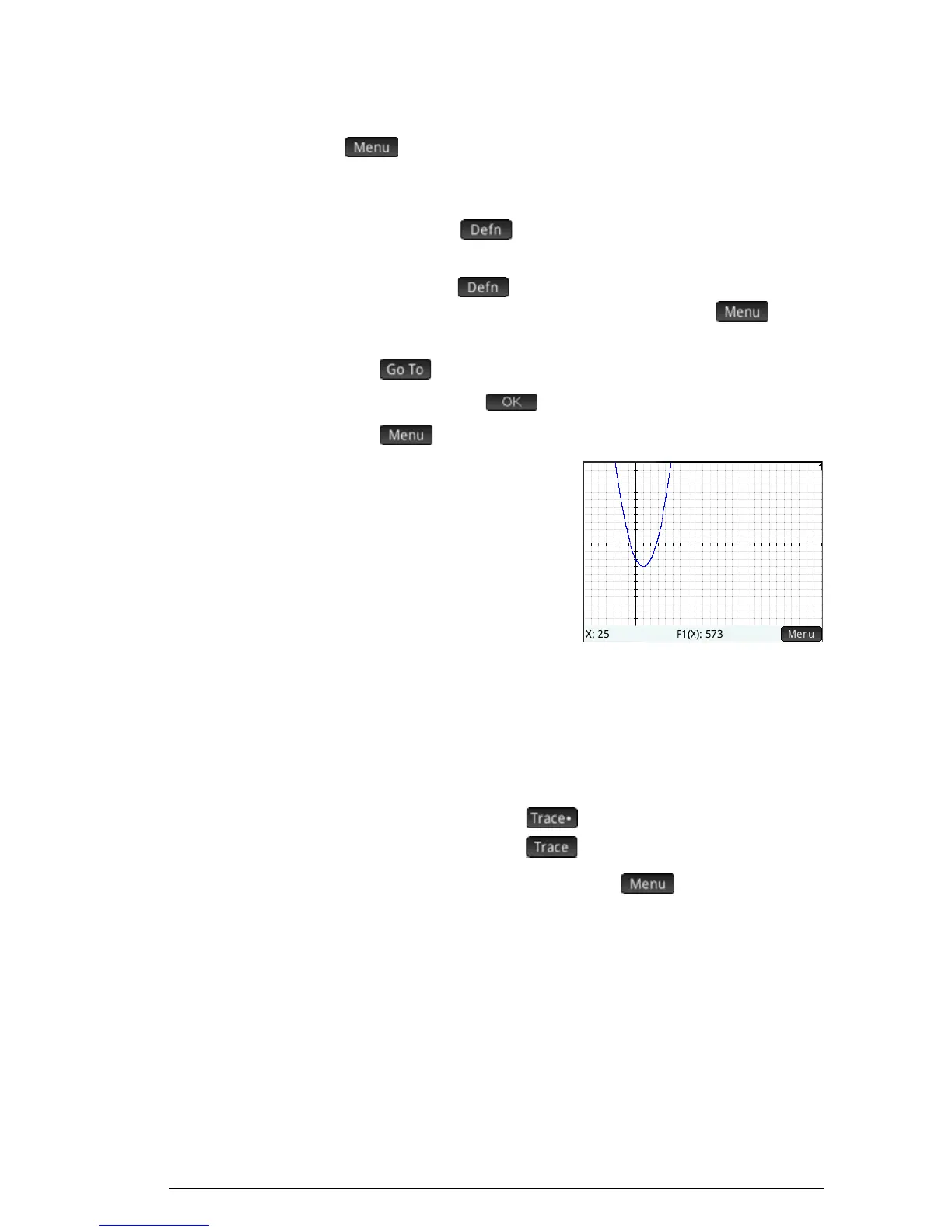
The value of F1(X) when X
is 25 as shown at the
bottom of the screen.
This is one of many ways the HP
Prime provides for you to
evaluate a function for a specific
independent variable. You can
also evaluate a function in
Numeric view (see page 102). Moreover, any expression you
define in Symbolic view can be evaluated in Home view. For
example, suppose F1(X)is defined as (x –1)
2
– 3. If you enter
F1(4) in Home view and press
E you get 6, since
(4– 1)
2
–3 = 6.
To turn
tracing on or
off
• To turn off tracing, tap .
• To turn on tracing, tap .
If these options are not displayed, tap .
When tracing is off, pressing the cursor keys no longer
constrains the cursor to a plot.


 To Next Page