Parametric app 271
Set the angle
measure
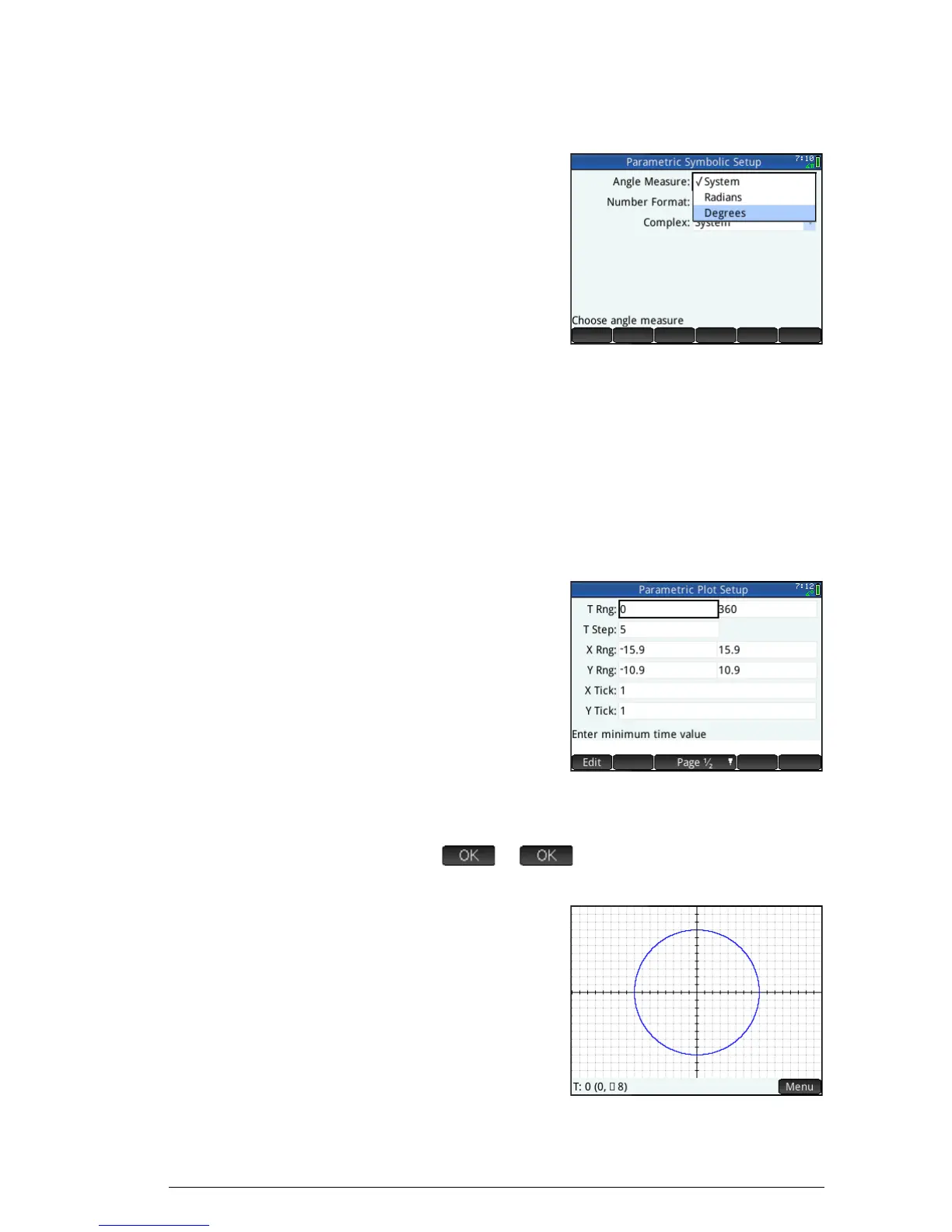
Set the angle measure to degrees:
5.
S
Y
(Settings)
6. Tap the Angle
Measure field
and select
Degrees.
You could also
have set the angle
measure on the
Home Settings screen. However, Home settings
are system-wide. By setting the angle measure in an
app rather than Home view, you are limiting the
setting just to that app.
Set up the
plot
7. Open the Plot Setup view:
S
P
(Setup)
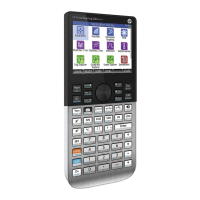
8. Set up the plot by
specifying
appropriate
graphing options.
In this example, set
the T Rng and T
Step fields so that
T steps from 0to
360 in 5 steps:
Select the 2nd T Rng field
and enter:
360
5
Plot the
functions
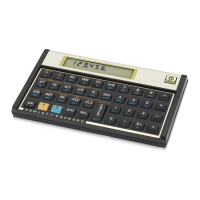
9. Plot the functions:
P


 To Next Page