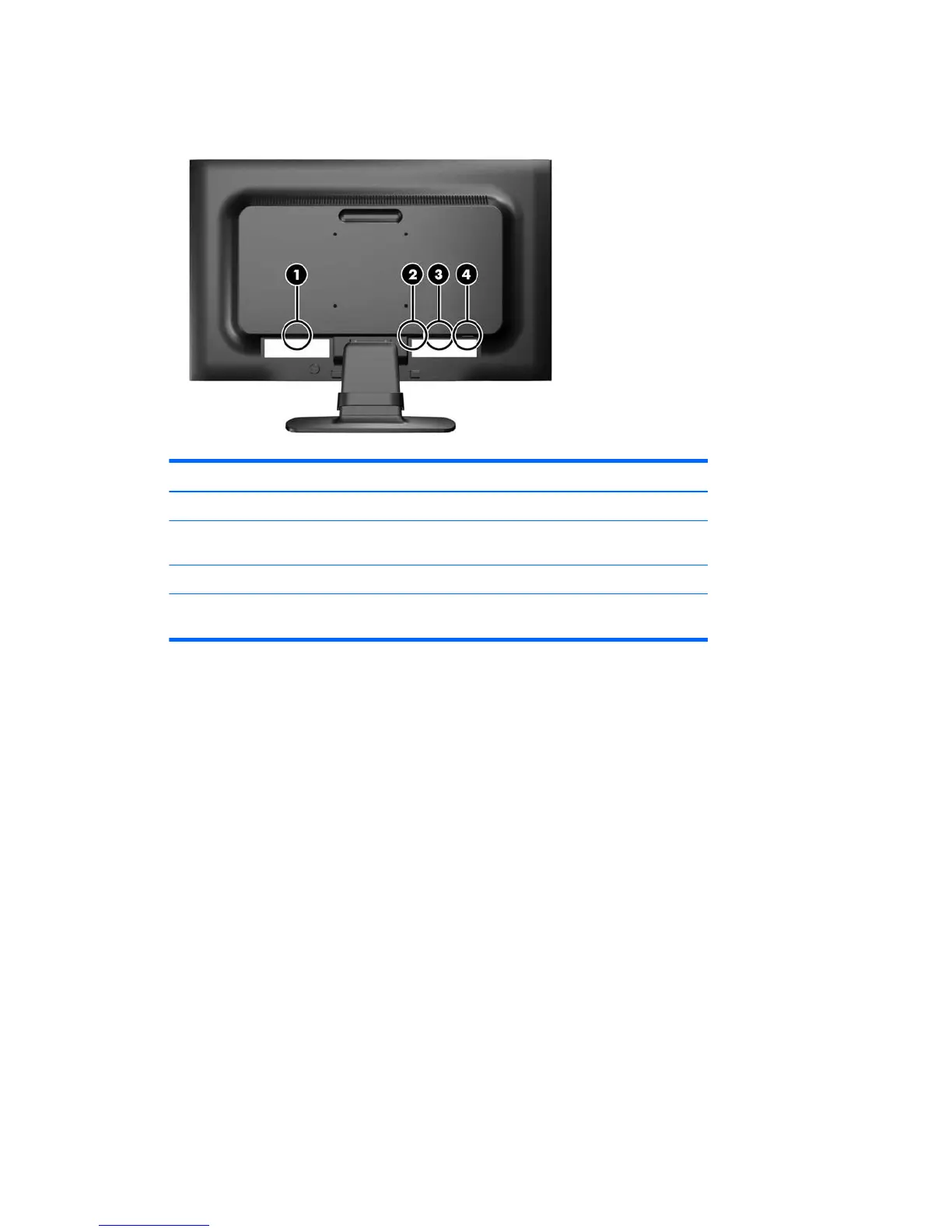
Identifying rear components
Component Function
1 AC Power Connector Connects the AC power cord to the monitor.
2 DisplayPort (select
models)
Connects the DisplayPort cable to the monitor.
3 VGA Connects the VGA cable to the monitor.
4 Audio Connector (select
models)
Connects the audio cable to the monitor.
Identifying rear components 7







 To Next Page