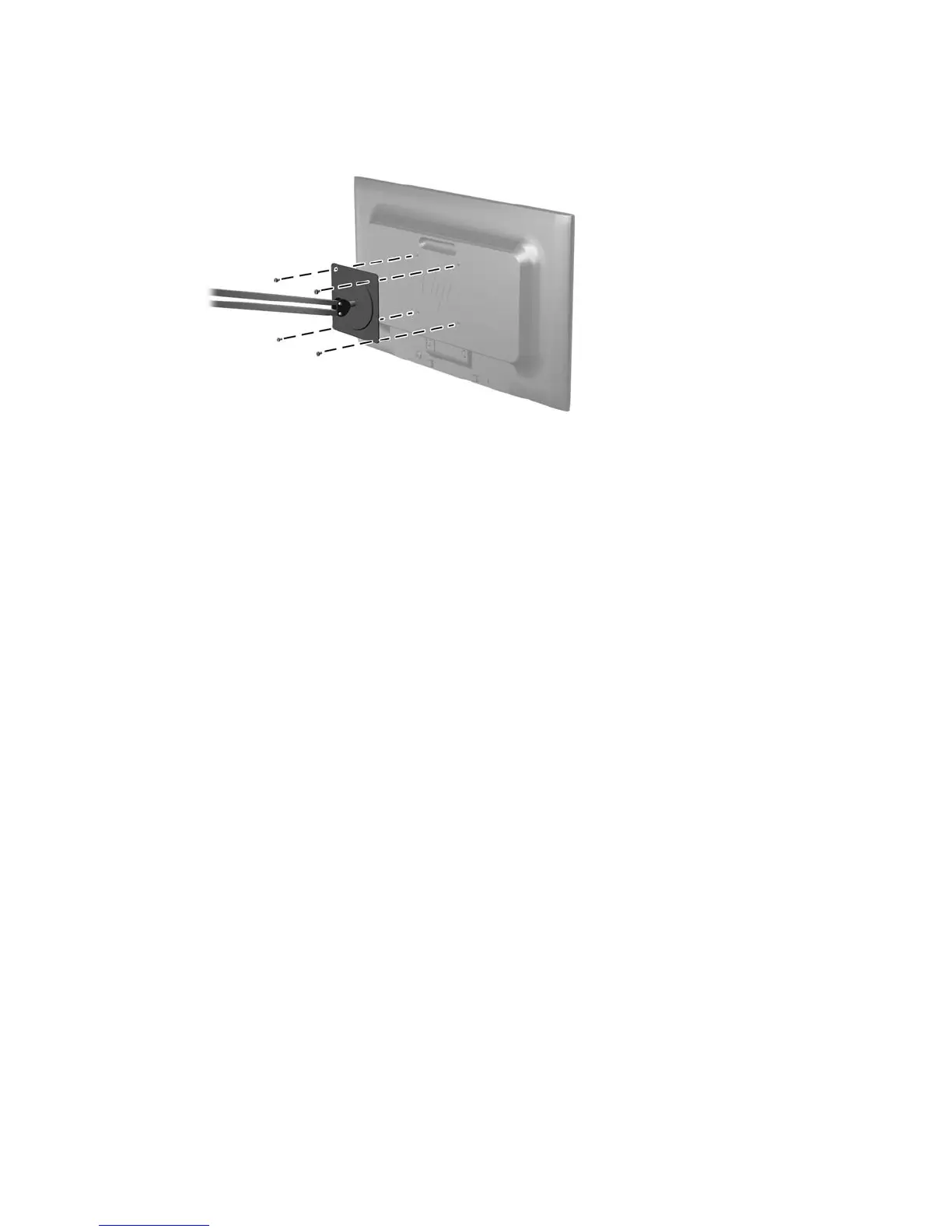
2. To attach the monitor to a swing arm (sold separately), insert four 10mm screws through the
holes on the swing arm plate and into the mounting holes on the monitor.
To attach the monitor to other mounting fixtures, follow the instructions included with the
mounting fixture to ensure that the monitor is safely attached.
3. Reconnect the cables to the monitor panel.
Removing the monitor stand 13






 To Next Page