1 Scanner setup
Follow these steps to set up the scanner.
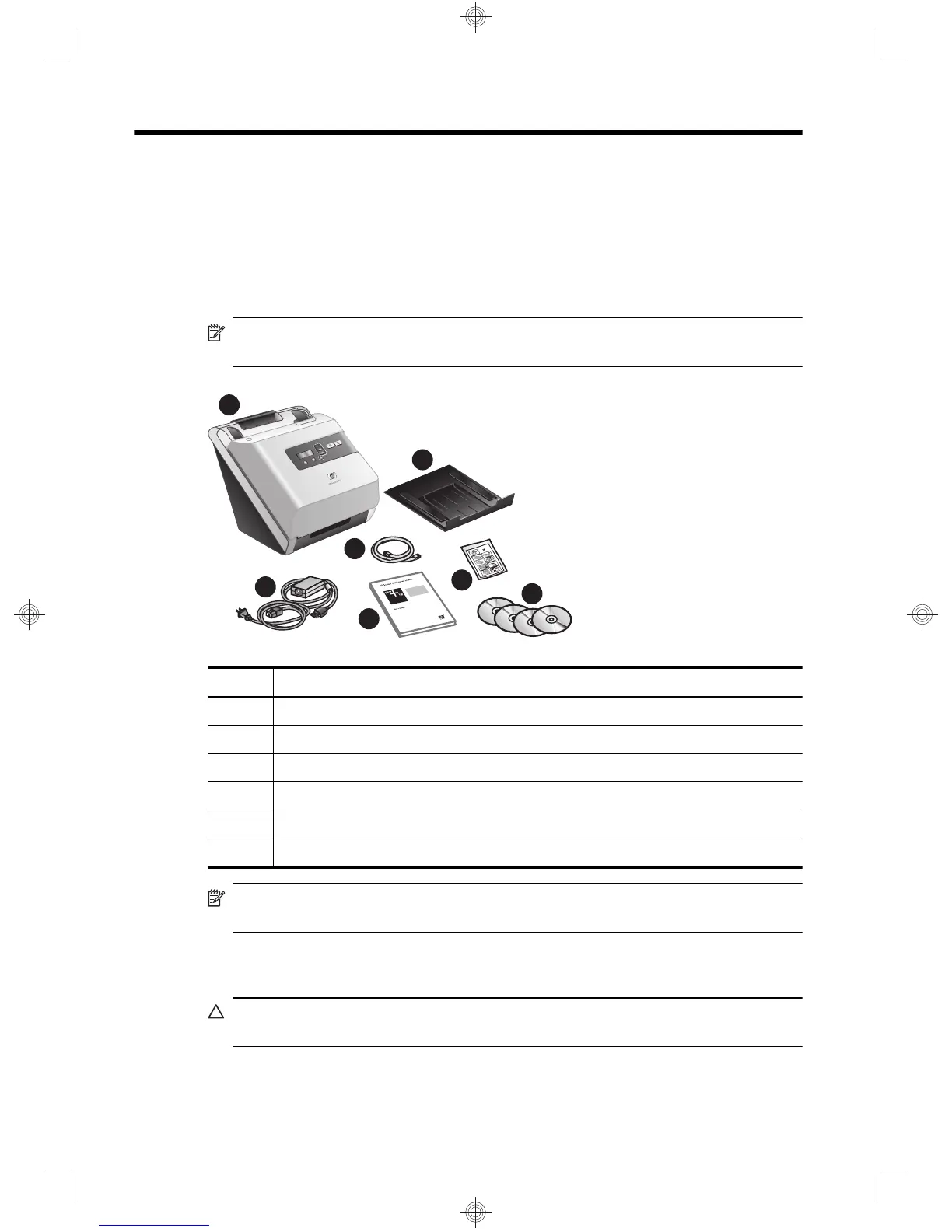
Check the box contents
Unpack the scanner hardware. Be sure to remove any shipping tape.
NOTE: The contents of the box, including the number of scanning software CDs,
can vary by country/region.
1
2
3
4
5
6
7
1 HP Scanjet 7000 or 5000 scanner
2 Output tray
3 Power supply
4 USB cable
5 Getting Started Guide (this book)
6 Paper-path cleaning cloth
7 Scanning software CDs
NOTE: In some countries/regions, you may need to install a feed roller (see “Install
the feed roller” on page 3).
Install the software
CAUTION: Do not connect the USB cable until you are prompted during the software
installation.
2 HP Scanjet 7000/5000 Scanner


 To Next Page
 Loading...

