Two-finger pinch zoom
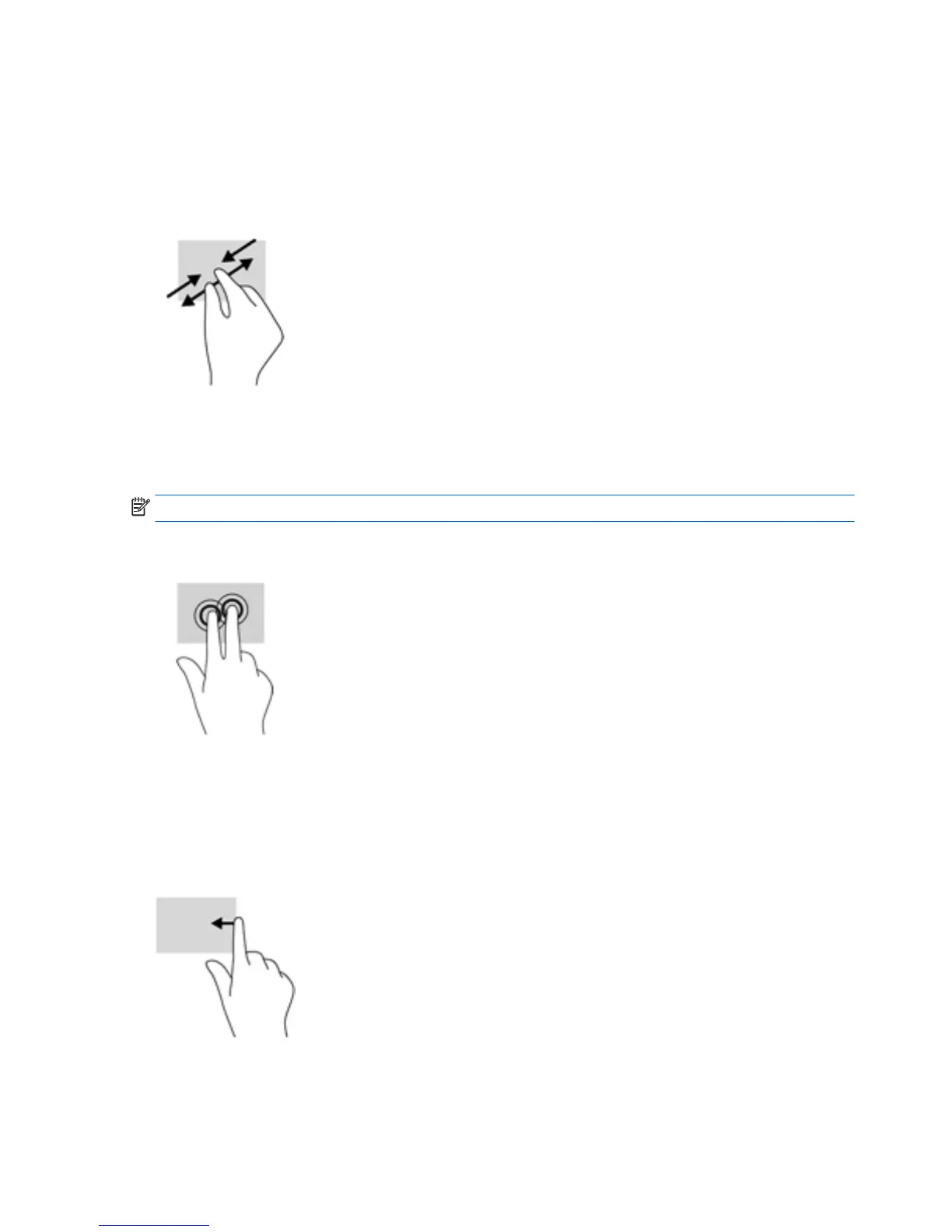
Use the two-finger pinch zoom to zoom out or in on images or text.
●
Zoom out by placing two fingers apart on the touch screen and then moving your fingers
together.
●
Zoom in by placing two fingers together on the touch screen and then moving your fingers apart.
Two-finger click
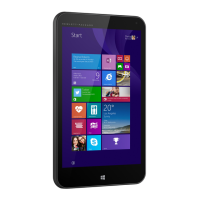
Use the two-finger click gesture to open the menu for an object on the screen.
NOTE: The two-finger click performs the same function as right-clicking with a mouse.
●
Place two fingers on the touch screen and press down to open the options menu for the selected
object.
Right-edge swipe
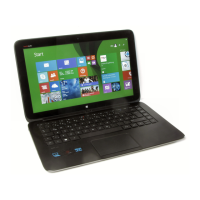
Use the right-edge swipe to reveal the charms, which let you search, share, start apps, access
devices, or change settings.
●
Gently swipe your finger inward from the right edge of the touch screen to reveal the charms.
10 Chapter 4 Navigating the screen


 To Next Page