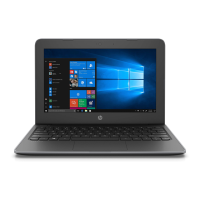
Layout of the HP Stream Laptop
User Guide developed and adapted from:
Hewlett-Packard Development Company, L.P. (2014, October). HP Stream Notebook-14-z010nr (Energy Star) User Guide. Retrieved from:
http://support.hp.com/us-en/product/HP-Stream-14-Notebook-PC/7296828/model/7415863/manuals
Microsoft (2015). Windows Tutorial. Retrieved from: 1
http://windows.microsoft.com/en-gb/windows-8/start-screen-tutorial
Layout of the HP Stream
Right-side
1. Power light
a. When the light shows, the computer is on.
b. When the light is blinking, the computer is in the Sleep state.
c. When the light is off, the computer is off or in a Hibernations states.
*Hibernation is a power-saving state that uses the least amount of power.
2. Audio-out (headphone)/Audio-in (microphone) jack
a. Connects optional speakers, headphones, earbuds, or a headset.
b. This jack does not support optional microphone only devices.
3. USB 2.0 port
a. Connects an optional USB device
b. Examples: mouse, external drive, printer, scanner or USB hub.
4. USB 3.0 port
a. Connects an optional USB device
b. Examples: mouse, external drive, printer, scanner or USB hub.
5. HDMI port
a. Connects an optional video or audio device
a. Examples: high definition television, any compatible digital or audio component, or a
high-speed HDMI device.

 Need help?





 To Next Page
 General