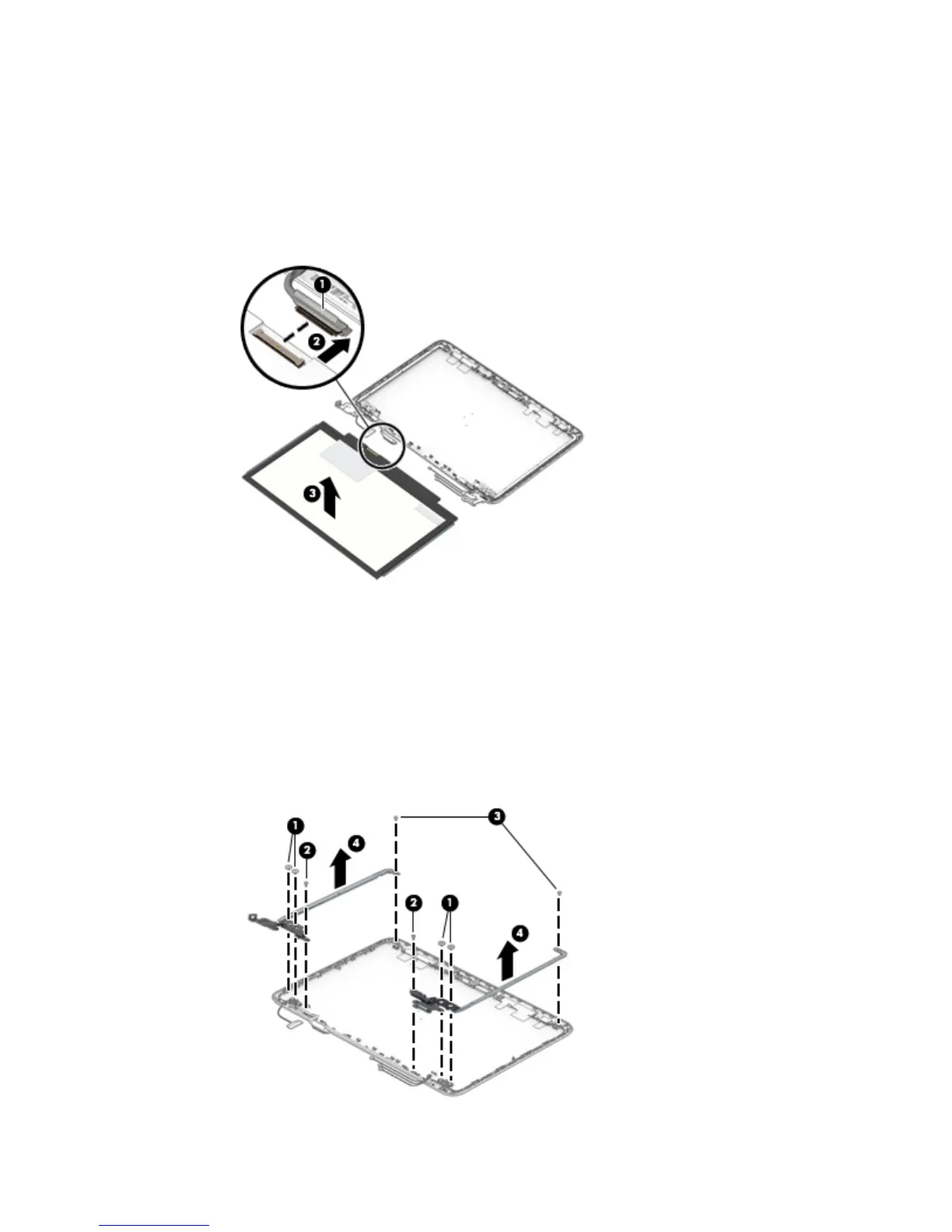
e. Remove the display panel (3).
The display panel is available using spare part number 792779-001 for models without a-
touchscreen.
The display back cover is available using the following spare part numbers:
792760-001: Magenta models without a touchscreen
792761-001: Blue models without a touchscreen
9. If it is necessary to replace the display hinges:
a. Remove the four Phillips PM2.5×3.0 broad head screws (1) that secure the display hinges to the
display back cover.
b. Remove the two Phillips PM2.0×2.5 screws (2) on the bottom of the hinges and the two Phillips
PM2.0×2.5 screws (3) at the top of the hinges that secure the hinges to the display back cover.
c. Remove the display hinges (4).
The display hinges are included in the Display Hinge Kit, spare part number 792774-001 for
models without a touchscreen.
Component replacement procedures 43










 To Next Page