2 External component identification
Front
Item Component Description
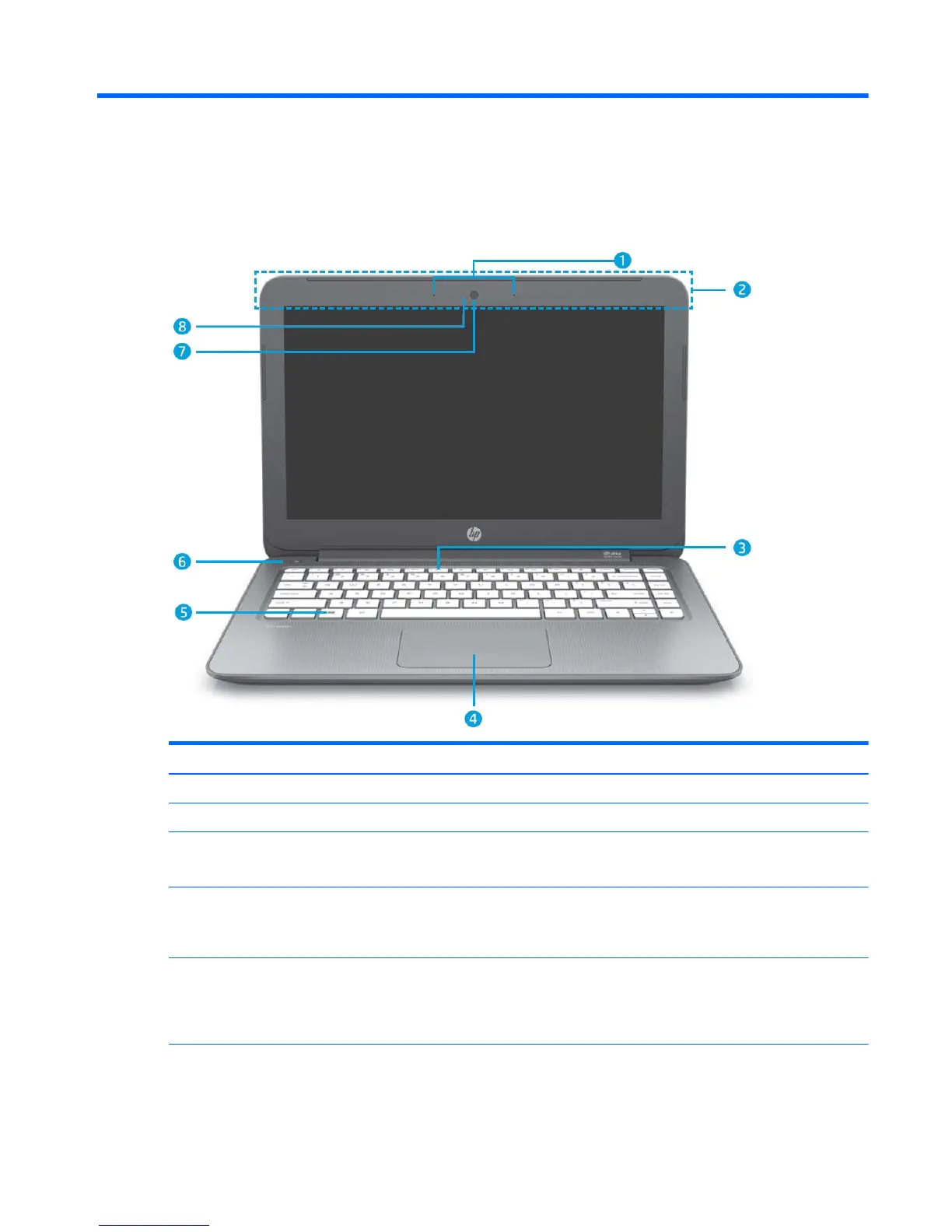
(1) Internal microphones (2) Record sound.
(2) WLAN antennas (2)* Send and receive wireless signals to communicate with WLANs.
(3) Mute light
●
Amber: Computer sound is off.
●
Off: Computer sound is on.
(4) TouchPad zone Reads your finger gestures to move the pointer or activate items
on the screen.
NOTE: The TouchPad also supports edge-swipe gestures.
(5) Windows key Returns you to the Start screen from an open app or the Windows
desktop.
NOTE: Pressing the Windows key again will return you to the
previous screen.
(6) Power button
●
When the computer is off, press the button to turn on
the computer.
Front 3










 To Next Page