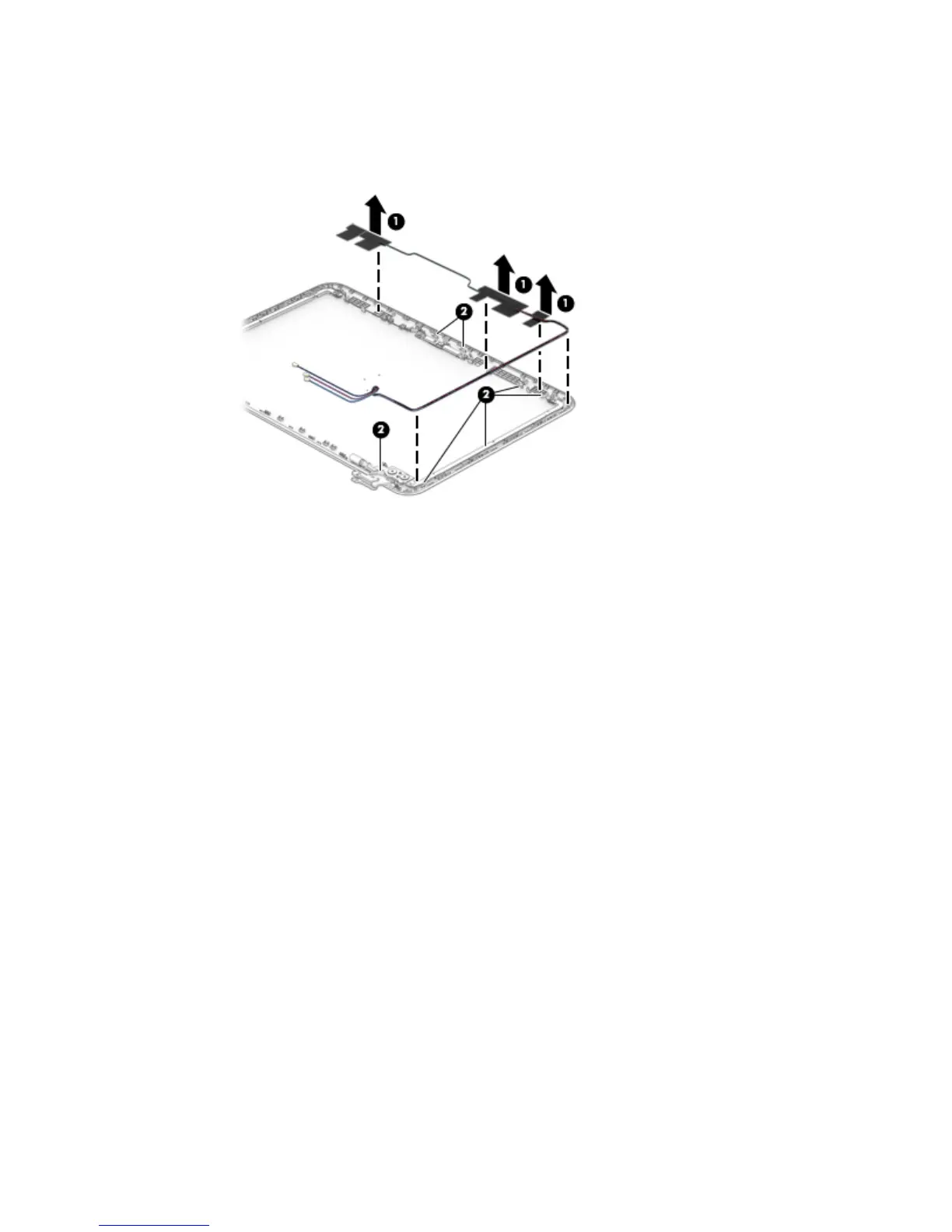
c. Release the antenna cables from the retention clips (2) and channel built into the top edge and
right side of the display back cover.
The antenna cables and transceivers are included in the WLAN Antenna Kit, spare part number
792758-001 and WWAN Antenna Kit, spare part number 792757-001.
Reverse this procedure to reassemble and install the display assembly.
Component replacement procedures 45










 To Next Page