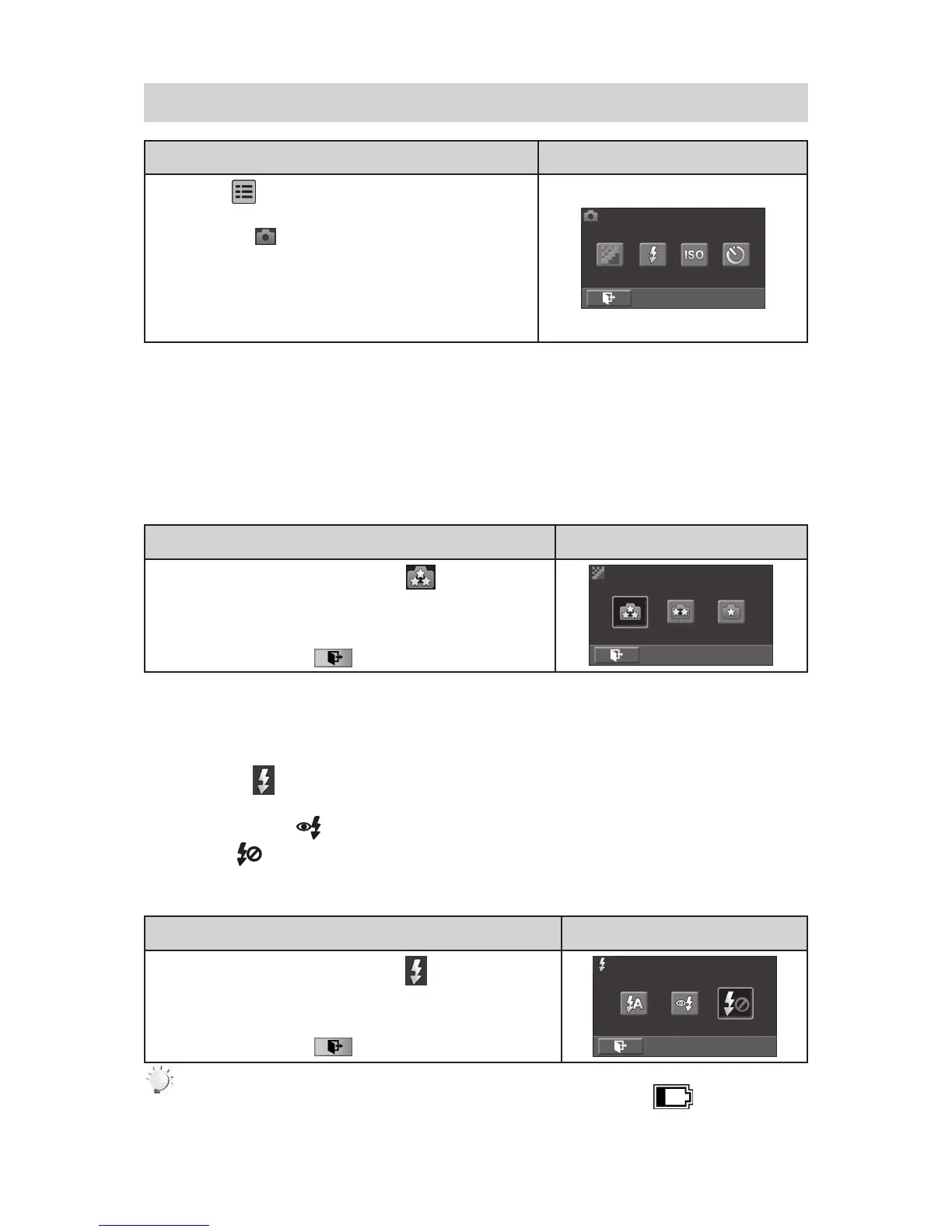
3.12 Photo
Operation Display Screen
T1. ouch on the screen in live view mode. The
options menu will be displayed.
Touch the [ 2. ] icon on the screen. The photo
submenu will be displayed.
The Photo submenu contains 4 options-- Resolution, 3.
Flash, ISO, and Self-Timer --for you to adjust the
camera settings.
3.12.1 Photo Resolution
Three resolution settings are available.
16MP• :Shoot photo at 4608 x 3456, 16MP quality.
5MP• :Shoot photo at 2592 x 1944, 5MP quality.
3MP• :Shoot photo at 2048 x 1536, 3MP quality.
Operation Display Screen
In the Photo submenu, touch the [ 1. ] icon on the
screen.
Touch to select the desired resolution option.2.
Touch the Exit icon 3. ( ) to exit.
3.12.2 Flash
This camera has three ash settings.
Flash Auto ( • ):The ash res automatically according to light conditions. Use this mode for
general photography.
Red Eye Reduct.• ( ):The pre-ash will re to reduce the red-eye effect.
Flash Off• ( ): The ash will not re under any circumstances. Use this mode when taking
photo in a place where ash photography is prohibited, or when the subject is distant (beyond the
range of the ash).
Operation Display Screen
In the Photo submenu, touch the [1. ] icon on the
screen.
Touch to select the desired option.2.
Touch the Exit icon 3. ( ) to exit.
Note
The ash will be disabled automatically when the battery power is low ( ).



 To Next Page