Welcome 7
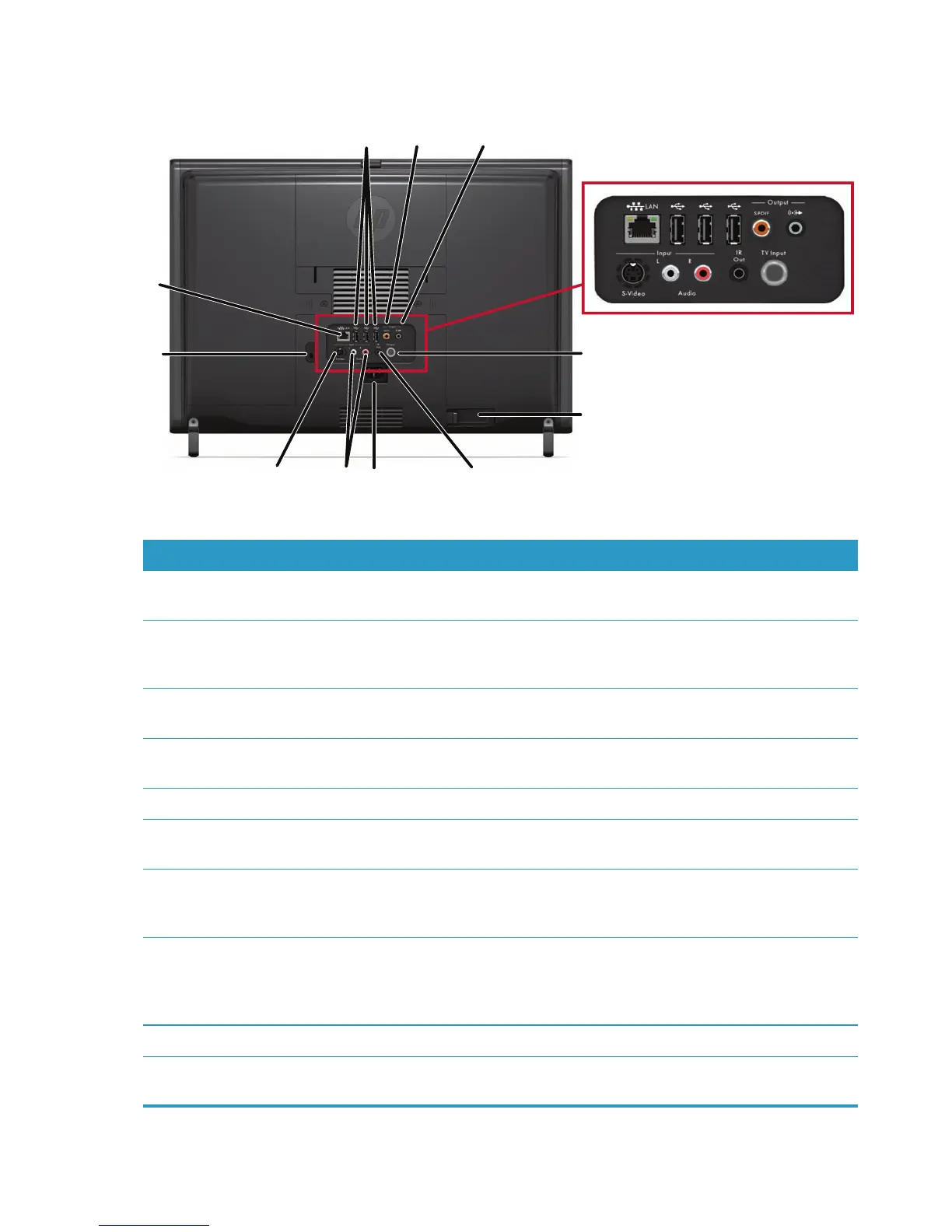
Back of the HP TouchSmart PC
Features and configurations vary by model
Item Function
A Security lock slot Insert a security lock (sold separately), which enables you to secure your
computer from theft and unwanted changes.
B Gigabit
Ethernet LAN
(10/100/1G)
Connect to the Internet through your wired network.
C USB 2.0 ports (3) Connect USB devices (USB 2.0) such as printers, external hard disk drives,
digital cameras, and MP3 players.
D Digital audio port
(SPDIF Out)
Connect to your home theater system or your surround sound digital
speakers. Supports 3.1, 4.1, and 5.1 speakers.
E Audio Line Out Connect external 2.0 and 2.1 powered speakers.
F TV In (TV tuner
models only)
Connect your TV signal source to watch, record, and pause live TV. This is
a coaxial TV input signal connector.
G Wireless keyboard
and mouse receiver
(select models only)
Use wireless keyboard and mouse with the preinstalled receiver to control
some functions and software.
H IR emitter (blaster)
(select models only)
Adhere to your TV set-top box IR receiver area to receive the remote
control signal while watching and recording TV programs. This is not
required if you do not use a set-top box. A remote control is included with
select models only.
I Power connector Plug the power cord into the computer.
J Stereo Audio In (TV
tuner models only)
Connect stereo audio input cables (left and right) from a set-top box,
digital video camera, or other video device.
A
B
C
D
E
F
G
H
I
J
K


 To Next Page
 Loading...