Finding supported graphics cards
To find information about graphics cards supported for your workstation:
1. See http://www.hp.com/go/quickspecs.
2. In the left navigation bar under QuickSpecs, click your country, and then select Workstations.
3. Choose your model to view the specifications.
4. Click the link for Technical Specifications-Graphics. This displays expanded technical
information for supported graphics cards, including how many monitors the card supports,
connectors, power consumption, drivers, and other details.
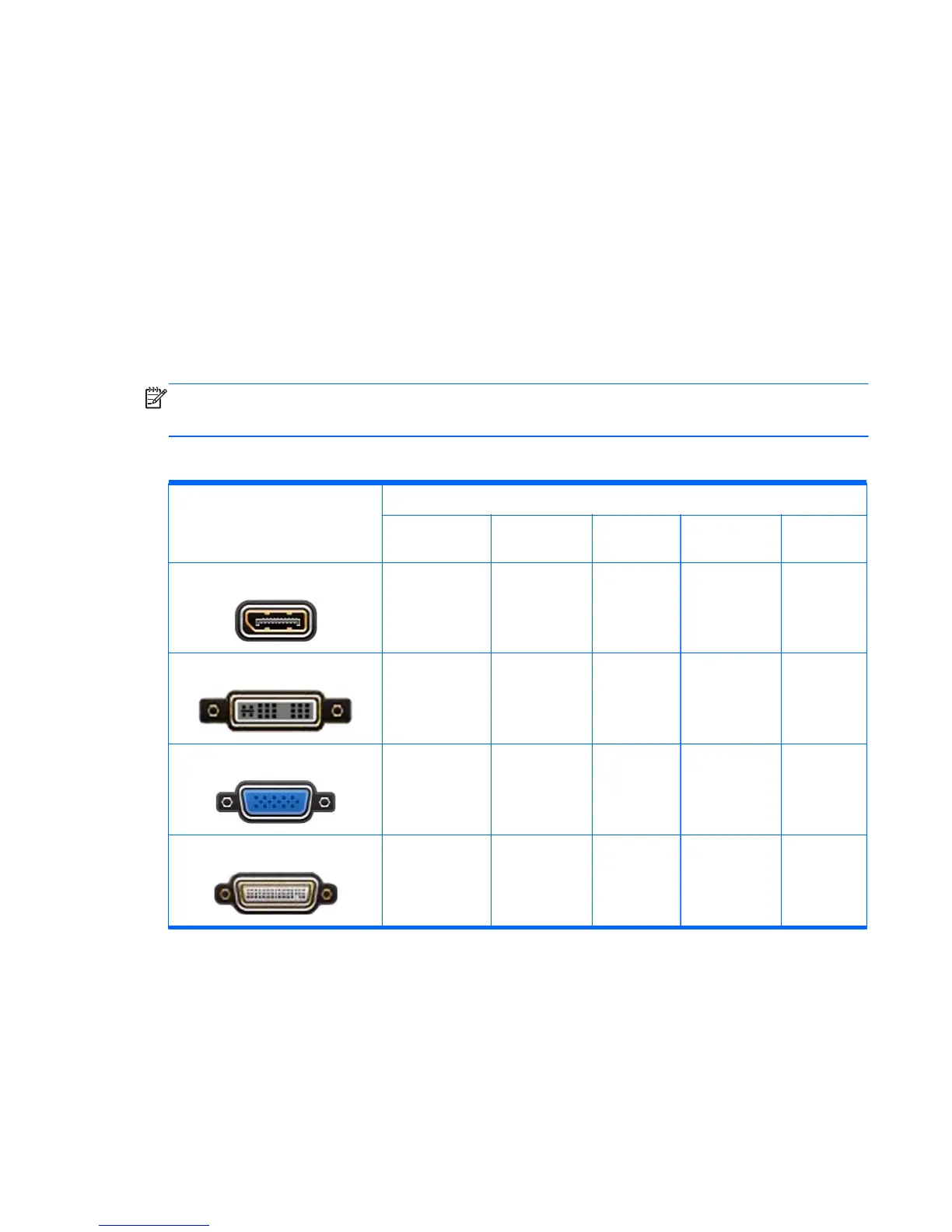
Matching graphics cards to monitor connectors
NOTE: HP graphics cards include monitor cable adapters unless otherwise indicated.
DisplayPort cards have the highest performance; VGA graphics cards have the lowest.
The following table describes monitor configuration scenarios.
Graphics card connector
Monitor connector
VGA DVI
Dual-Link
DVI
DisplayPort
(DP)
HDMI
D
ISPLAY
P
ORT
DisplayPort-to-
VGA adapter
(sold separately)
DP-to-DVI
adapter
DP-to-DL DVI
adapter
DP cable
DP-to-HDMI
adapter
DVI-I
DVI-to-VGA
adapter or DVI-I
cable
DVI-D cable DL DVI cable N/A N/A
VGA
No adapter
required
DVI-I-to-VGA
adapter
N/A N/A N/A
DMS-59*
DMS-59-to-VGA
adapter
DMS-59-to-DVI
adapter
N/A
DMS-59-to-DP
adapter
N/A
*
This interface is a dual-monitor graphics interface card that supports two VGA or two DVI monitors.
Adding monitors
17



 To Next Page