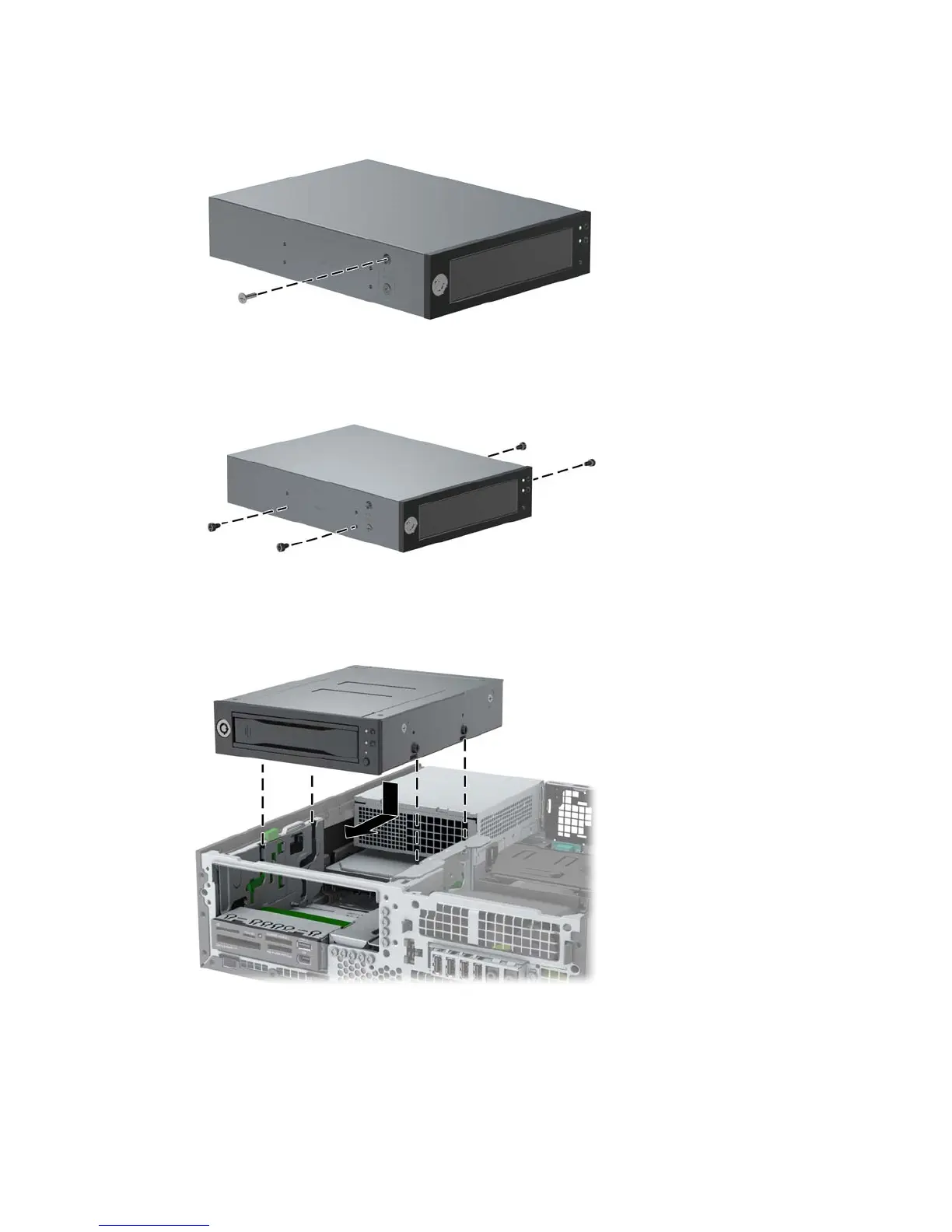
4. Remove and discard the counter-sunk shipping screw at the side of the DX115 case.
Figure 8 Removing the shipping screw
5. Install four (supplied) M3 x 5mm screws (black) in the lower four mounting holes of the DX115
case.
Figure 9 Installing the guide screws
6. Position the guide screws on the drive into the J-slots in the drive bay. Then slide the drive
toward the front of the computer until it locks into place.
Figure 10 Installing the DX115 unit
8 CRU Dataport DX115 kit installation ENWW


 To Next Page
 Loading...