14 Installing and troubleshooting
Verifying parallel compatibility
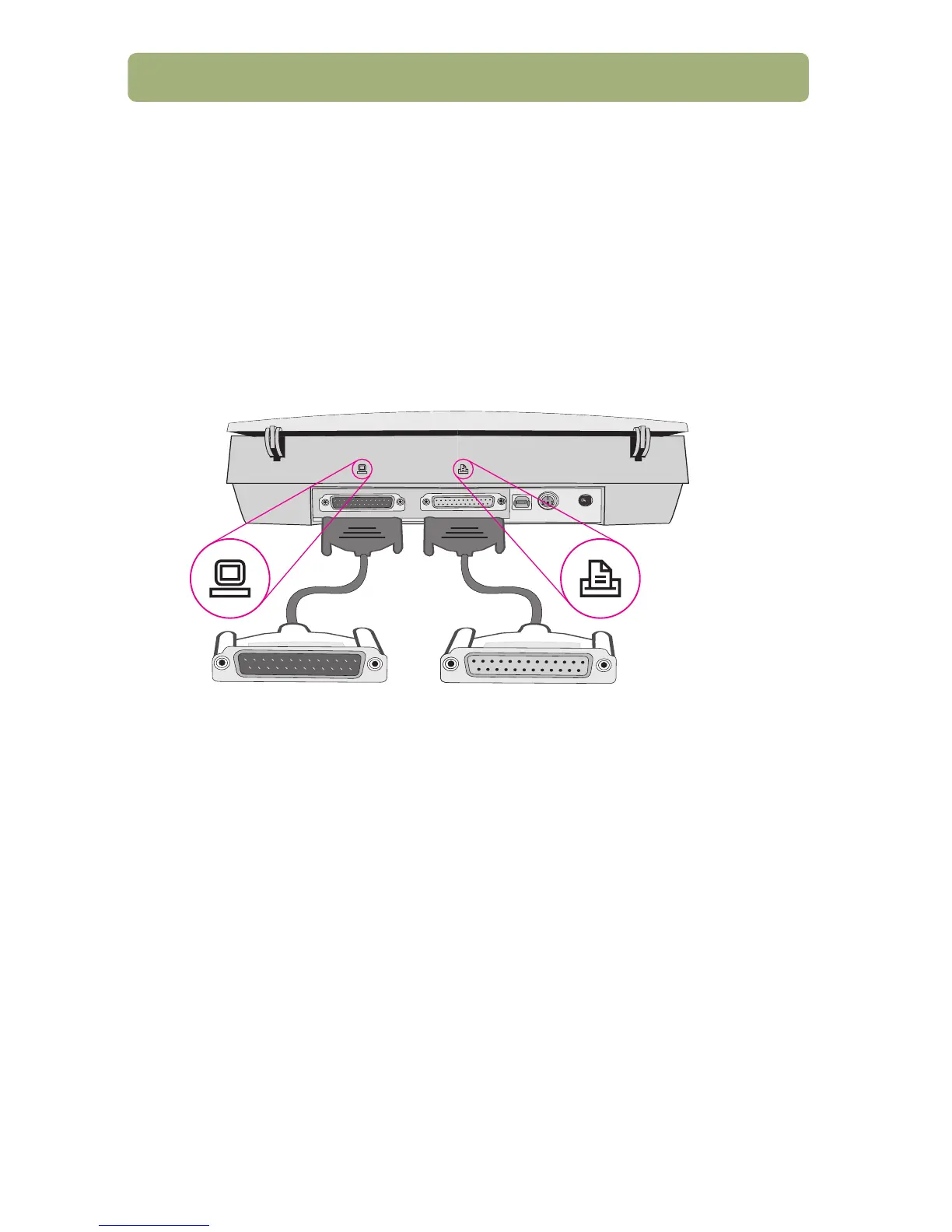
The scanner can be connected to a computer using a parallel interface connection.
Make sure you use the parallel cable that was shipped in the box or a parallel cable
expressly approved by HP. You must use a parallel interface connection if you
choose parallel during the scanning software installation or your computer fits one or
both of the following:
● Your computer is running Windows 95 or Windows NT 4.0.
● Your computer does NOT have a USB port.
connects to the computer connects to the printer



 To Next Page