EasyManua.ls Logo

HPM XLTX770/1 - User Manual

HPM XLTX770/1
2 pages
Print Icon
To Next Page IconTo Next Page
Loading...
Specifications (at 25˚C)
Connection type: 3 wire (neutral required)
Supply voltage: 230-240V a.c. 50Hz
Max load: 2400W (incandescent)
2400VA (fluorescent)
Operating temperature range: 0°C to + 50°C
Programmable time delay period: 1 sec to 239 hrs
Factory setting: 10 mins
Features
Wiring
Programmable Time Delay - 3 wire
Cat XLTX770/1, XLTX770/1NC, XLTX770/2, XLTX770/2NC, TX770/1RC, TX770/1RCNC, TX770/2RC and TX770/2RCNC
Instructions
This time delay switch is capable of switching loads for any
programmable time from 1 second to 239 hours and it does this with
incredible accuracy without the need of a battery or supercapacitor. This
accuracy is based on the timing reference used: the 50Hz frequency.
Applications include lighting, heating, air conditioning and other
machinery in commercial, industrial and institutional premises with
resultant economies because the devices are turned on only when they
are required and can not be inadvertently left on.
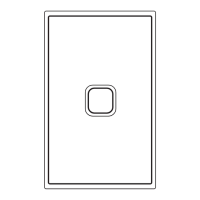
The push button is illuminated for easy night time operation.
XL TX 770/ 1 A RC NC
XL means
mounted on an
Excel wall plate
with an in-built
push button
1 means that if button is pressed whilst ‘on’, it
will restart the sequence from the beginning.
2 means that if pressed whilst ‘on’ it will switch
the load off until the button is pressed again.
3 means that the switch is a repeat cycle timer.
A. means it is a 2 wire
switch and does not
need a neutral wire. If
A is not indicated it is a
3 wire device
NC means that the contacts are
normally closed, and opens
during the programmed time. If
not NC the unstated meaning is
NO (normally open)
RC means remote
mounted version
(not on a wall plate).
An additional push
button is required
Understanding the function of the switch by its catalogue number
Operation
As soon as the button is pressed, the load turns on. However, timing
does not start until the button is released. This is called “off-delay”, and
the time delay switch operates this way by default. When the time delay
period expires, the load turns off.
The time delay switch can be reprogrammed so that timing starts as
soon as the button is pressed, rather than when it is released. This is
called “on-delay”. Refer to “How to program” for how to activate
“on-delay”.
LOAD
ACTIVE
CONTROL
NEUTRAL
ACTIVE
NEUTRAL
LOAD
MOMENTARY
PUSH BUTTONS
(770XM, EM770X, NX770)
(TX770/1, TX770/2)
Figure 1. Normal wiring diagram
Optional momentary push buttons (NX770M or 770XM) can be connected
between the Active and Control terminals. These perform the same
function as the push button on the main product.
LOA D
ACTIVE
CONTROL
NEUTRAL
ACTIVE
NEUTRAL
FANLIGHT
770M
(EM770)
(TX770/1, TX770/IRC)
Figure 2. Fan delay timer
In this application, a Remote (RC) time delay switch is used, and a 770M
rocker switch is used in place of the momentary push button. When
the switch is turned on, both the light and fan turn on. When the switch
is turned off, the light will turn off immediately but the fan will keep
running for the programmed delay period. Note that this will only work
when the unit is set to “off-delay” (the default setting).
LOA D
ACTIVE
CONTROL
NEUTRAL
ACTIVE
NEUTRAL
FANLIGHTLIGHT
(769PM,
EM770DP)
(769PM,
EM770DP)
(TX770/1, TX770/IRC)
Figure 3. Fan delay timer with multiple lights
When multiple light switches are used to control the one fan, double
pole switches (769PM) must be used, otherwise all the lights will turn
on when one switch is turned on.
Installation Note:
1) The maximum recommended length of the control wire to remote
push buttons is 100m.
2) Power factor correction capacitors can be connected downstream of
the time delay switch
WARNING
Do not megger test. Megger tester may damage unit.
Question and Answer IconNeed help?

Do you have a question about the HPM XLTX770/1 and is the answer not in the manual?

Summary

Specifications

Features

Understanding the Function of the Switch by Catalogue Number

Wiring

Normal Wiring Diagram

Illustrates the standard connection for the time delay switch with optional push buttons.

Fan Delay Timer Application

Demonstrates using the switch for a fan with a light, featuring off-delay functionality.

Fan Delay Timer with Multiple Lights

Shows controlling a fan with multiple light switches, requiring double pole switches.

Operation

Installation Notes and Warnings

Control Wire Length

Maximum recommended length of the control wire to remote push buttons is 100m.

Power Factor Correction

Power factor correction capacitors can be connected downstream of the time delay switch.

Megger Testing Warning

Warning against using a megger tester as it may damage the unit.

How to Program

Entering Program Mode

Details on how to activate programming mode using light flashes.

Setting Time Delay

Procedure to set the desired time delay by pressing the button.

Getting into Mode 2

Instructions to enter Mode 2 for defining the time unit (seconds, minutes, hours).

On-Delay & Off-Delay Setting

How to change the delay mode from factory default 'off-delay' to 'on-delay'.

Programming Notes

Factory Settings and Overrides

Details on factory settings and how button presses override previous settings.

Timeout and Memory

Information on programming timeouts and permanent storage of settings.

Warranty

Customer Service

Overview

The HPM Programmable Time Delay is a 3-wire switch, available in various models including XLTX770/1, XLTX770/1NC, XLTX770/2, XLTX770/2NC, TX770/1RC, TX770/1RCNC, TX770/2RC, and TX770/2RCNC. This device is designed to control electrical loads by switching them on for a programmable time delay period, ranging from 1 second to 239 hours. Its accuracy is derived from the 50Hz frequency of the mains supply, eliminating the need for batteries or supercapacitors.

Function Description:

The primary function of the programmable time delay switch is to manage the duration for which a connected load remains active. Upon activation (typically by pressing a push button), the load turns on. The timing mechanism can operate in two modes: "off-delay" (default) or "on-delay." In "off-delay" mode, timing begins when the button is released, and the load turns off after the programmed period expires. In "on-delay" mode, timing starts as soon as the button is pressed. The switch can be reprogrammed to switch the load off immediately when the button is pressed again (in "off-delay" mode, if set to restart the sequence). Some models (NC) feature normally closed contacts, meaning they open during the programmed time.

The device is suitable for a wide range of applications, including lighting, heating, air conditioning, and other machinery in commercial, industrial, and institutional settings. Its use can lead to energy savings by ensuring that devices are only active when required and are not inadvertently left on. For user convenience, the push button is illuminated for easy visibility during night-time operation.

Important Technical Specifications (at 25°C):

  • Connection Type: 3-wire (neutral required).
  • Supply Voltage: 230-240V a.c. 50Hz.
  • Maximum Load: 2400W (incandescent) / 2400VA (fluorescent).
  • Operating Temperature Range: 0°C to +50°C.
  • Programmable Time Delay Period: 1 second to 239 hours.
  • Factory Setting: 10 minutes.
  • Control Wire Length: Maximum recommended length of control wire to remote push buttons is 100m.

Usage Features:

The switch offers flexibility in its configuration and operation:

  • Programming Modes: The device can be programmed to set the desired time delay. This involves entering a programming mode (Mode 1 or Mode 2) by subjecting the unit to a specific number of "flashes" (on-off cycles of approximately 2 seconds each). The switch provides visual feedback (constant green/red light with flashing red/green light) to indicate the current mode.
  • Setting Time Delay: In Mode 1, the user presses the button a number of times corresponding to the desired numerical value of the time delay. In Mode 2, the user specifies whether this number represents seconds (1 press), minutes (2 presses), or hours (3 presses). The unit automatically saves the new timing after a 10-second delay.
  • Off-Delay/On-Delay Selection: The default operation is "off-delay." To change to "on-delay," the user must enter programming Mode 2 and, on the last button press, hold the button down for at least 10 seconds until the relay clicks on.
  • Remote Control Options: Optional momentary push buttons (NX770M or 770XM) can be connected between the Active and Control terminals to replicate the main push button's function. Remote-mounted versions (RC models) require an additional push button.
  • Fan Delay Timer Application: The device can be configured as a fan delay timer. When used with a rocker switch (e.g., 770M), turning on the switch activates both the light and fan. Turning off the switch immediately turns off the light, while the fan continues to run for the programmed "off-delay" period. For multiple lights controlled by one fan, double pole switches (769PM) must be used to prevent all lights from turning on simultaneously when only one switch is intended to be activated.
  • Catalogue Number Interpretation: The catalogue number provides information about the device's features:
    • XL: Mounted on an Excel wall plate with an in-built push button.
    • RC: Remote mounted version, requiring an additional push button.
    • NC: Normally closed contacts (open during programmed time). If not indicated, it's normally open (NO).
    • 1: If pressed whilst 'on', restarts the sequence from the beginning.
    • 2: If pressed whilst 'on', switches the load off until pressed again.
    • 3: Repeat cycle timer.
    • A: 2-wire switch (does not need a neutral wire). If A is not indicated, it is a 3-wire device.
Maintenance Features:

  • Non-Volatile Memory: All new program settings are permanently stored in a non-volatile memory, making them immune to power failure and eliminating the need for backup batteries.
  • Bench Programming: Units can be programmed on the bench prior to installation on-site for convenience.
  • Power Factor Correction: Power factor correction capacitors can be connected downstream of the time delay switch.

Important Warning:

  • Do not megger test the unit, as a megger tester may damage the device.

HPM XLTX770/1 Specifications

General IconGeneral
BrandHPM
ModelXLTX770/1
CategorySwitch
LanguageEnglish

Related product manuals