2
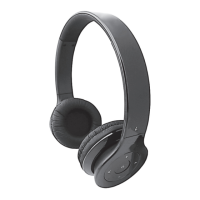
Thank you for purchasing your Headrush Headphones. In order to
maximize your listening experience, please read the instructions below
carefully.
This Bluetooth stereo headset supports the following Bluetooth proles:
HSP —— Headset Prole
HFP —— Hands-free Prole
A2DP—— Advanced Audio Distribution Prole
AVRCP——Audio/Video Remote Control Prole
You can enjoy wireless music and hands-free talking by using your HEADRUSH Bluetooth
Headset.
FUNCTIONS
1. Pairing with any mobile phone with built-in Bluetooth devices (e.g. iPhone, HTC,
Samsung) and Tablet (such as iPad).
• Answer, end and reject call from the headset
• Redial last number.
• Voice dial.
• Listen to music wirelessly
• Fully remote control buttons on the headset for pause / play / last track / next track /
re-dial / voice call.
2. Automatically switch between your phone and music; you will not miss any incoming
calls while listening to music.
3. Automatically connect with the last paired device when the headset is turned on.
4. The battery indicator feature is available on iOS5 and 6 on iPhone, iPad. It will show the
battery status for the headset without installing any Apps.
5. Multilink technology allows you to connect to two devices at the same time. All you
need to do is simply repeat the pairing process for the second device and manually
reconnect from the rst device.
6. Voice prompt now comes with ve status alerts in English. Power on, power off, pairing,
pairing completed, incoming call. The voice notice comes directly through the headset
and tells what the current status is about.
Note: Even though the paired device and headset support the same Bluetooth
proles, the functions may be different due to the specication differences of the
paired devices.


 To Next Page