3.2. Chair Lift
3.2.1. Raising & Lowering the Chair Lift with
Membrane Switches
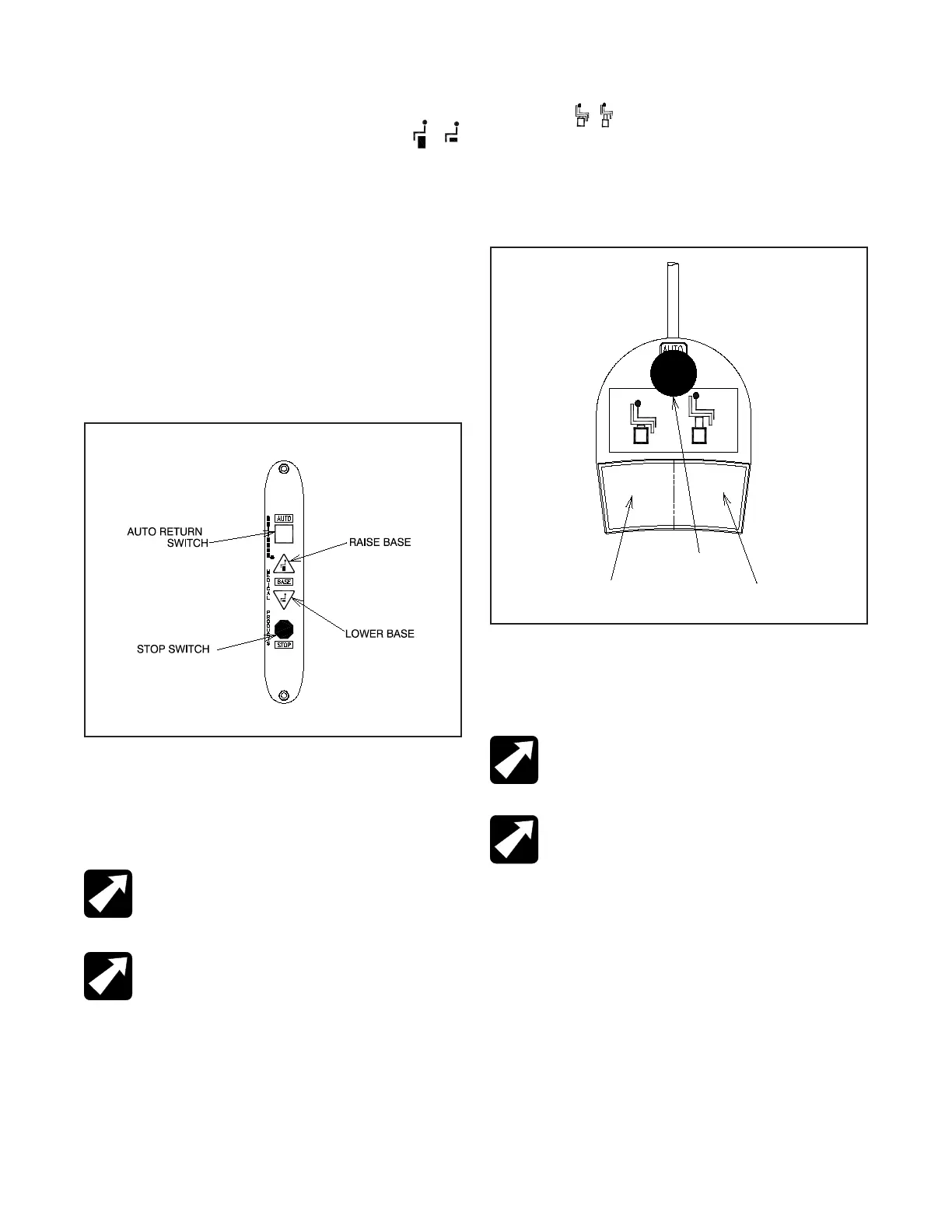
• The chair lift may be raised or lowered by Membrane
Switches on either side of the chair back (Figure 2).
• To raise the chair lift from these switches, depress the
triangular-shaped UP arrow located ABOVE the text ”BASE”.
This is called the RAISE BASE switch.
• To lower the chair lift, depress the triangular-shaped DOWN
arrow located BELOW the text “BASE”. This is called the
LOWER BASE switch.
NOTE:
By design, the motion of the Chair will
STOP when the RAISE or LOWER BASE switch is
released.
REMARQUE : Selon la conception initiale,
le mouvement de la chaise S’ARRÊTE lorsque
l’interrupteur RAISE (LEVER) ou LOWER (BAISSER)
la base est relâché
3.2.2. Raising & Lowering the Chair Lift from the
Footswitch
• For operation from the footswitch (Figure 3), depress the
right side of the pedal to raise the chair lift.
• Depress the left side of the right-hand pedal to lower the
chair lift.
NOTE:
By design, the motion of the Chair will
STOP when the RAISE or LOWER BASE switch is
released.
REMARQUE : Selon la conception initiale,
le mouvement de la chaise S’ARRÊTE lorsque
l’interrupteur RAISE (LEVER) ou LOWER (BAISSER)
la base est relâché
3.3. Chair Top
3.3.1. Positioning The Chair Back
• The chair back may be reclined or raised by either
pushing downward or pulling upward on the release lever
(Figure 4)
.
• If the chair is equipped with an articulating leg rest, the
foot-step and apron will rise when the back is reclined
.
• In the extreme reclined position these surfaces form a
flat table.
FIGURE 2
MEMBRANE SWITCH
FIGURE 3
Footswitch Operation
AUTO
RETURN
LIFT
DOWN
LIFT
UP
IN-62008



 To Next Page