EasyManua.ls Logo

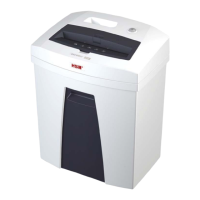
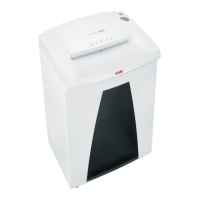
HSM securio C18 - User Manual

HSM securio C18
92 pages
Go to English
Print Icon
To Next Page IconTo Next Page
Loading...
BETRIEBSANLEITUNG
AKTENVERNICHTER
OPERATING INSTRUCTIONS
PAPER SHREDDER
NOTICE D’UTILISATION
DESTRUCTEUR DE DOCUMENTS
MANUALE OPERATIVO
DISTRUGGIDOCUMENTI
INSTRUCCIONES DE SERVICIO
DESTRUCTORA DE DOCUMENTOS
INSTRUÇÕES DE OPERAÇÃO
DESTRUIDORA DE DOCUMENTOS
GEBRUIKSAANWIJZING
PAPIERVERNIETIGER
BRUGSVEJLEDNING
MAKULERINGSMASKINE
BRUKSANVISNING
DOKUMENTFÖRSTÖRARE
KÄYTTÖOHJE
PAPERINSILPPURI
BRUKSANVISNING
MAKULERINGSMASKIN
C 18
1.910.998.100
05/2012

Questions and Answers

  • J
    Jonathan JacksonAug 10, 2025
    What to do if my HSM Paper Shredder has a paper jam?
    • B
      bradfordericaAug 10, 2025
      If your HSM Paper Shredder is experiencing a paper jam, it could be due to feeding too much paper at once. Try pressing the reverse button “R” to remove the stack of paper. Alternatively, reduce the stack of paper by half or feed the paper in smaller portions.
  • S
    scotttaylorAug 16, 2025
    Why does my HSM Paper Shredder stop working due to overload?
    • K
      Kristen Williams DDSAug 16, 2025
      If your HSM Paper Shredder is overloaded, it's likely that the motor has overheated. To resolve this, let the shredder cool down for approximately 15–20 minutes before using it again.
  • C
    carloskruegerAug 22, 2025
    What to do if the safety light is flashing on my HSM Paper Shredder?
    • S
      Sarah VelazquezAug 22, 2025
      If the safety light is flashing on your HSM Paper Shredder, it indicates that the safety element was pressed. To confirm and reset the display, press the reverse button “R”.
  • A
    Amy PhillipsAug 28, 2025
    What to do if the shredded material container is full in my HSM Paper Shredder?
    • E
      Eric BishopAug 28, 2025
      If your HSM Paper Shredder indicates that the shredded material container is full, you should empty the container.
  • T
    Tommy ContrerasSep 3, 2025
    What to do if my HSM securio C18 says 'container open'?
    • S
      Steven EatonSep 3, 2025
      If your HSM Paper Shredder displays a 'container open' message, ensure that the shredded material container is correctly inserted into the base cabinet.

Summary

Proper Use and Warranty Information

General Safety Instructions

Child and General Hazard Warning

Warning: Machine use by children or those with limited capabilities requires supervision and instruction.

Operation

Switching on the Shredder

Steps to connect the power plug and activate the shredder.

Shredding Paper

Process of feeding paper and how the cutting unit operates.

Shredding CDs and Credit Cards

Instructions and warnings for shredding CDs and credit cards.

Shredder Power Off Procedure

Procedure to turn off the shredder and put it in standby.

Troubleshooting

Troubleshooting Paper Jams

Measures to take when the shredder experiences a paper jam.

Troubleshooting Motor Overload

Steps to follow when the motor is overloaded and needs to cool down.

Cleaning and Maintenance

Technical Data

HSM securio C18 Specifications

General IconGeneral
BrandHSM
Modelsecurio C18
CategoryPaper Shredder
LanguageEnglish

Related product manuals