HT3300
EN - 7
5. OPERATING INSTRUCTIONS
5.1. TEMPERATURE MEASUREMENT
1. Switch on the instrument by pressing trigger key T
2. Press key to activate/deactivate the double laser pointer (see § 4.3.2)
3. Press °C/°F/ to activate/deactivate the acoustic buzzer in the MAX or MIN
measurements (see § 4.3.3)
4. Press and hold Trigger key T to activate the test and point the instrument in the
direction of the target ‘s surface
CAUTION
The instruments allows correct temperature measurement only on materials
with emissivity value equal or higher than 0.95 (not-reflecting object with
oxidized surfaces)
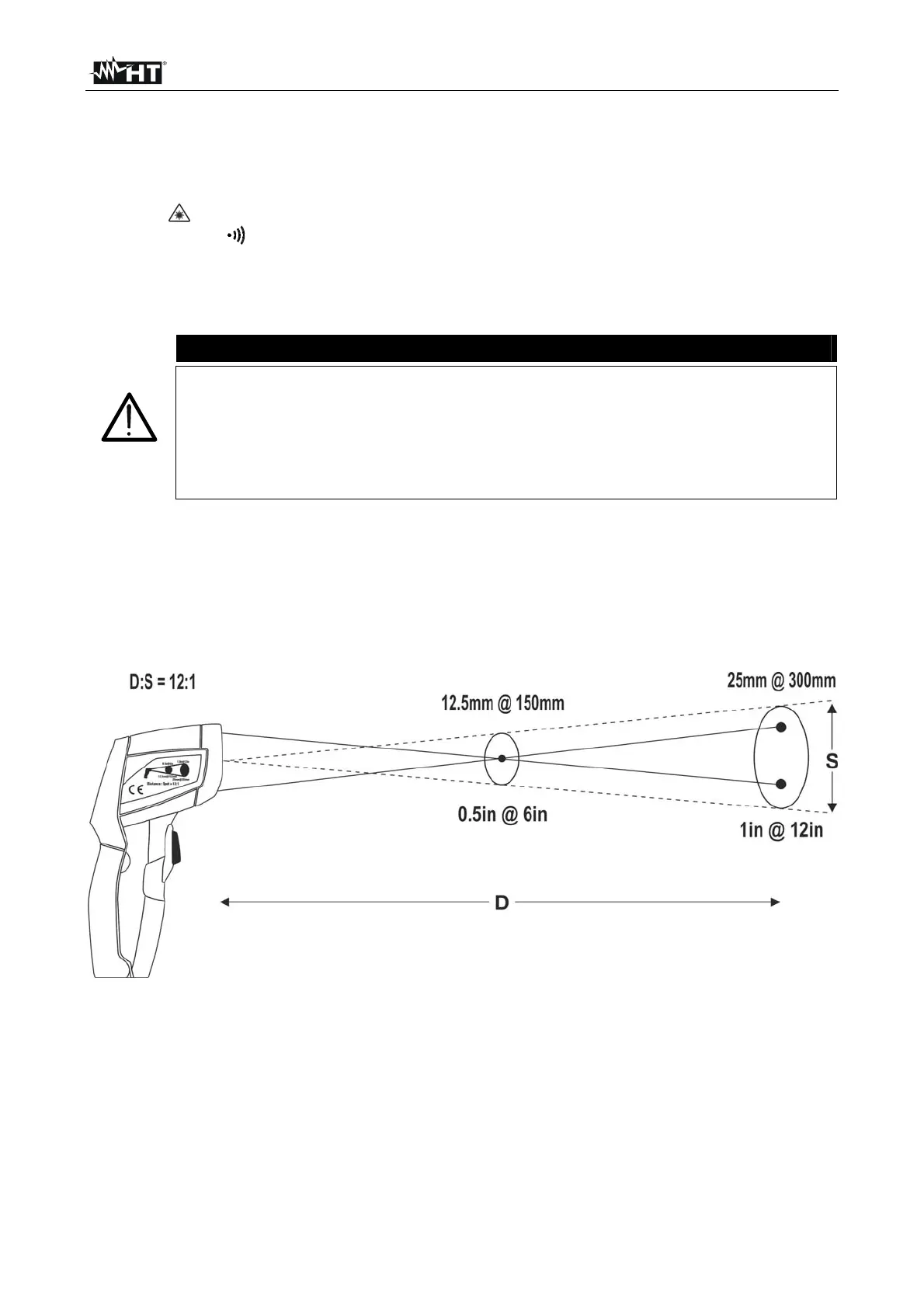
The double laser beam allows an immediate evaluation of the maximum
size of the measuring spot with regard to the distance from the target in
order to get a correct temperature measurement.
5. Make sure that the target, whose temperature is to be measured, is at least as large as
the unit’s spot (see Fig. 4). The smaller the object is, the closer you should be to it
(Example: if the distance from the object is 300mm – 12inch, the section of the object
should be at least of 25mm – 1inch for a correct temperature measurement). When
accuracy is critical, make sure the object is at least twice as large as the spot
size
Fig. 4: Distance / Spot ratio of the instrument
6. Release Trigger key T to stop measuring and freeze the last read value on the main
display. The message “HOLD” is shown. The MAX or MIN value is also shown on the
secondary display
7. The instrument will automatically switch off after 10 seconds of idleness.


 To Next Page