Making your first call
1. On the Home screen, tap .
2. Enter the phone number or first few letters of the contact’s name.
3. From the list, tap a contact to call.
4. To hang up, tap End Call.
Sending your first text message
1. From the Home screen, tap > Messages.
2. Tap .
3. Tap , and then select the contacts you want to send the message to.
4. Tap the box that says Add text, and then enter your message.
5. Tap to insert a smiley or add quick text.
6. Tap Send.
Getting photos, videos, and music on or off
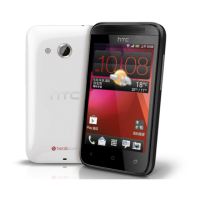
HTC Desire 200
There are two ways you can transfer your media.
§ Connect HTC Desire 200 to your computer, and select the Disk drive mode.
Your computer will recognize it just like any removable USB drive, and you can
copy your media between them.
§ Download and use our HTC Sync Manager software. You can easily set it up to
sync folders containing media and playlists on your computer with
HTC Desire 200. HTC Sync Manager can also automatically get photos and
videos off HTC Desire 200 to your computer.
20 Your first week with your new phone


 To Next Page