Getting Started 35
1.7 Home Screen
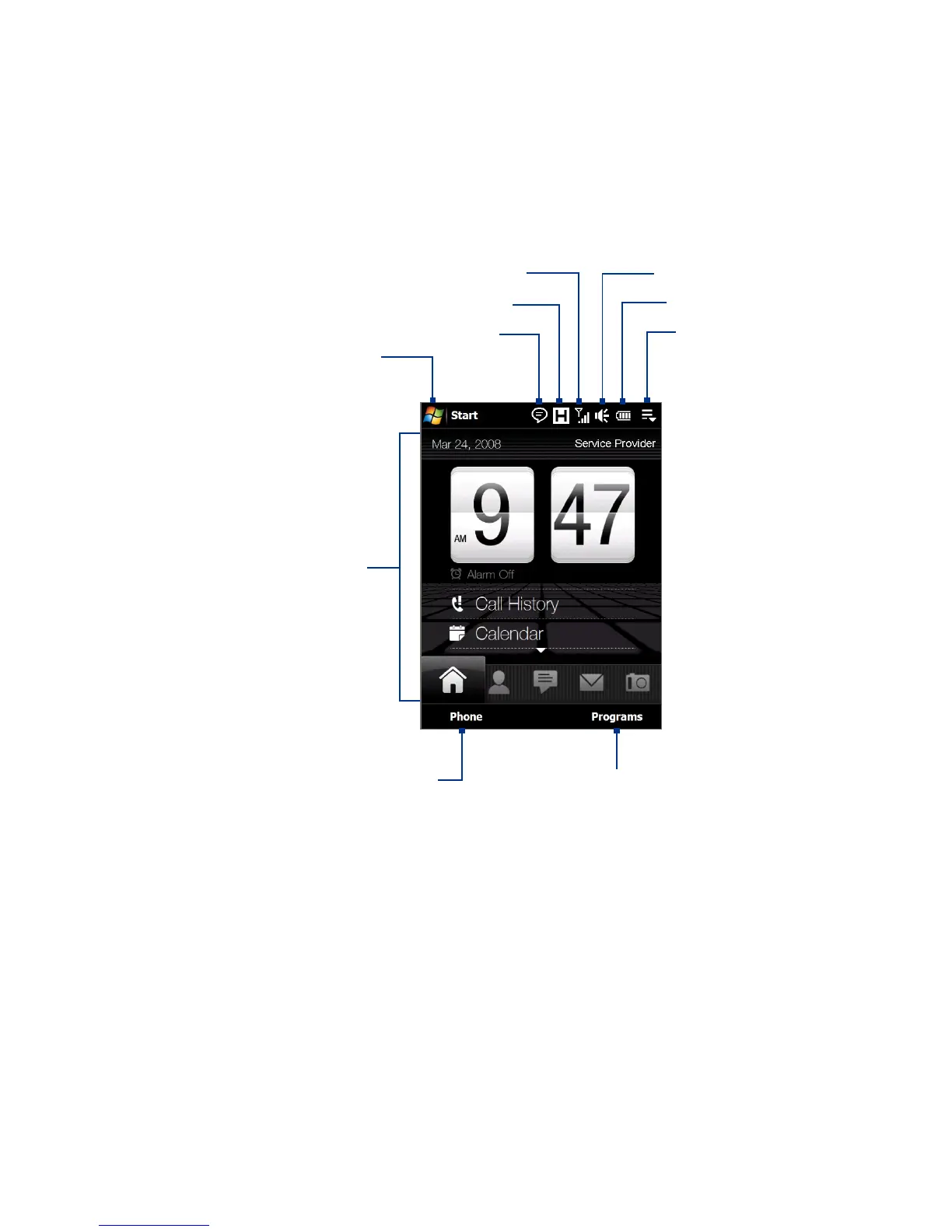
The default home screen of the device is the TouchFLO™ 3D Home screen
which allows finger-touch access to the most important functions such as
contacts, text messages, e-mail, Internet, and more.
Start menu
Notification
Signal strength Adjust volume
Battery status
TouchFLO 3D
Home screen
Connection status
Open the Phone screen
(See Chapter 2 for details)
Go to the Programs tab to
access favorite programs
Quick menu
For more information about using the TouchFLO 3D Home screen, see
Chapter 3.



 To Next Page