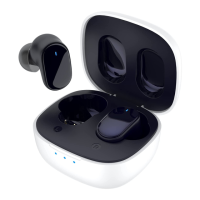
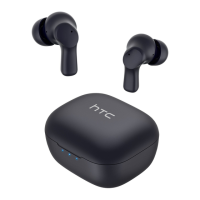
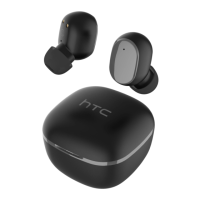
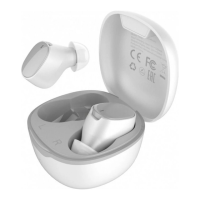
The HTC True Wireless Earbuds 1, model HTC TWS2, are a pair of true wireless earbuds designed for audio playback and hands-free communication. The package includes two earbuds, a charging case, a Quick Start Guide, a USB Type-C cable, two pairs of rubber tips (large and small), and a warranty card.
Function Description:
The HTC True Wireless Earbuds 1 provide wireless audio playback and call management through a Bluetooth connection to a mobile device. They are designed for ease of use, with automatic power on/off when removed from or placed back into the charging case. The earbuds support various touch controls for managing media playback, calls, and activating the voice assistant. The included charging case allows for convenient charging and storage of the earbuds, extending their operational time.
Important Technical Specifications:
- Bluetooth Version: 5.1
- Sweat and Water Resistant: IPX4
- Noise Reduction: ENC (Environmental Noise Cancellation)
- Bluetooth Range: ≤ 10 meters
- Play Time: Approximately 8 hours (at 50% volume level)
- Talk Time: Approximately 5 hours (at 50% volume level)
- Standby Time: Up to 100 hours
- Earbud Charges (when case is fully charged): Around 3 charges
- Earbud Battery Capacity: 45 mAh
- Charging Case Battery Capacity: 400 mAh
- Charging Case Input Voltage: 5V
- Charging Interface: Type-C
- Charging Case Power Input Rating: 5V / 320 mA
- Net Weight (single earbud): 4.5 g
- Net Weight (both earbuds with case): 40.5 g
- FCC ID: 2AVFE-HTCTWS2
Usage Features:
- Automatic Power On/Off: Earbuds automatically turn on when removed from the charging case and turn off when placed back in.
- Pairing: To pair, remove earbuds from the case, go to Bluetooth settings on your phone, and select "HTC TWS2." Earbuds will automatically connect to a previously paired device when taken out of the case.
- Resetting Earbuds: If earbuds are not shown in the Bluetooth list, they can be reset by triple-tapping either earbud until the beeping stops, then placing them back into the charging case and taking them out again.
- Controls:
- Power on/off: Automatic (based on removal/placement in case).
- Play next: Tap and hold the right earbud for 2 seconds.
- Play previous: Tap and hold the left earbud for 2 seconds.
- Play / Pause: Tap either earbud.
- Answer call / End call: Tap either earbud.
- Decline call: Tap and hold either earbud for 2 seconds.
- Assistant: Triple-tap either earbud.
- LED Notifications (Charging Case):
- Flashing red: Connected to power and charging.
- Red: Charging complete.
- Flashing blue: Low battery warning.
- Blue: Charging the earbuds.
- Off: Earbuds are fully charged.
- Authenticity Check: Users can verify product authenticity by scanning a QR code on the package and entering the last four digits of a scratch-off code on the HTC Digital product anti-counterfeit website or app.
Maintenance Features:
- Initial Setup: Before first use, users must tear off the isolative film from the earbuds. The charging case should be charged with a 5-volt charger before its initial use.
- Charging: Place earbuds in the charging case to charge them. Recharge the case periodically using a 5V charger.
- Temperature: HTC True Wireless Earbuds 1 should not be used in extreme temperatures to ensure optimal performance and longevity.
- Interference Mitigation (FCC Guidelines): If the device causes harmful interference to radio or television reception, users are advised to:
- Reorient or relocate the receiving antenna.
- Increase the separation between the equipment and receiver.
- Connect the equipment into an outlet on a circuit different from that to which the receiver is connected.
- Consult the dealer or an experienced radio/TV technician for help.
- Modifications: Any changes or modifications to the unit not expressly approved by the party responsible for compliance could void the user's authority to operate the equipment.

 Need help?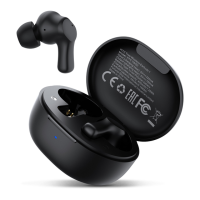

 To Next Page
 General