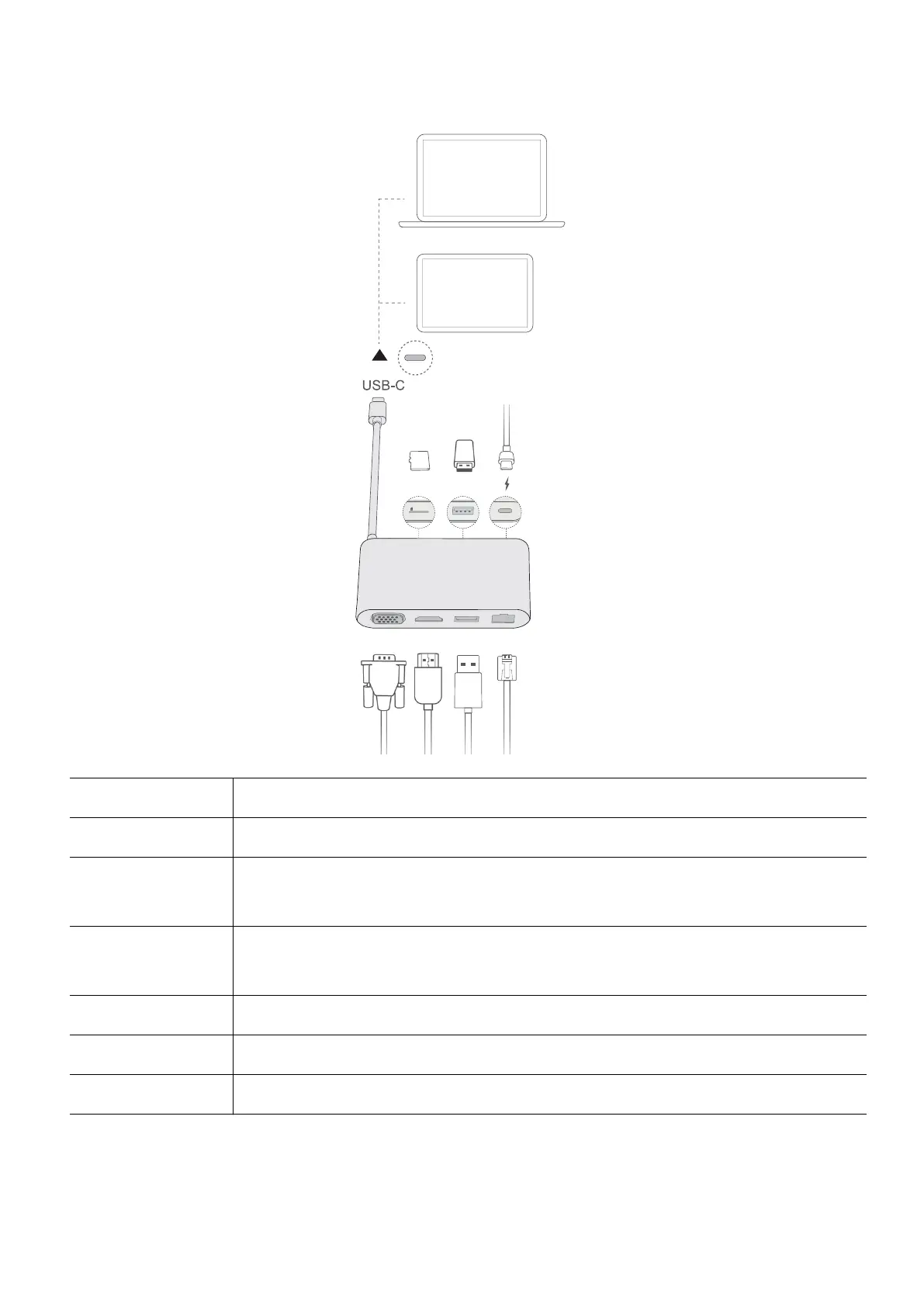
Getting to know HUAWEI MateDock 3
VGA HDMI
microSD USB-A
USB-A LAN
Micro SD
USB-C cable Connects to the USB-C port on the computer.
microSD slot Supports 4K data transfers to Class 10 microSD cards.
USB-A port x 2 Connects to USB devices, such as a USB mouse, keyboard, USB drive, or
network adapter.
USB-C charging
port
Charges USB-C devices. Does not support data transfer.
VGA port Connects to VGA displays, such as a monitor.
HDMI port Connects to HDMI displays, such as a TV.
Ethernet port Connects to ethernet cables.
Connect to a TV, monitor, or projector
You can connect the computer to a large display such as a TV, monitor, or projector for a
better viewing experience when streaming movies or holding a meeting.
Accessories and extensions
12









 To Next Page