• In addition to a computer, docking station, and external device, you also need to
prepare an HDMI or VGA cable.
• Check the port of the external device rst.
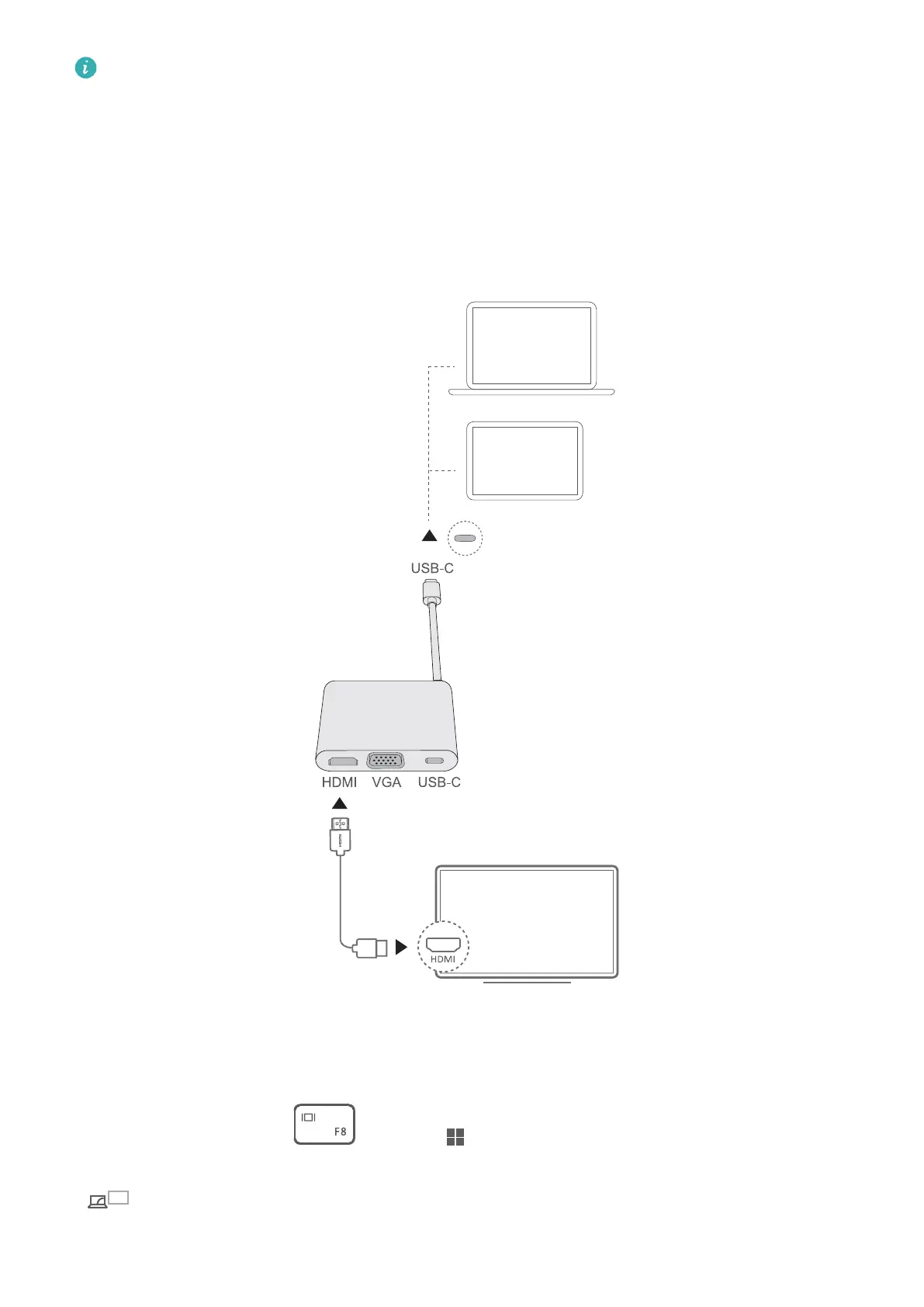
• The procedures for connecting the computer to a TV or other devices using a docking
station are similar. The following uses the HUAWEI MateDock 2 as an example.
• The HDMI and VGA ports cannot be used at the same time.
1 Connect your computer to a TV, monitor, or projector using a docking station, as shown in
the gure above.
2 Power on the TV, monitor, or projector.
3 In hotkey mode, press or press + P to open the projection screen and select a
projection mode.
•
: The computer's screen displays the desktop, while the external device's screen does
not display any content.
Accessories and extensions
13



 To Next Page