• Press the Fn key and the indicator will light up. The F keys will then work as function keys.
To return to shortcut key (hotkey) mode, press the Fn key then the indicator will turn o.
• To make the F keys work as function keys by default, open HUAWEI PC Manager and go to
Settings > System Settings to enable Function key priority. To switch back to hotkey mode,
enable Hotkey priority.
Touchpad
The touchpad provides similar functionality to a mouse and is a convenient way to control
the computer.
Not all gestures are available in all apps.
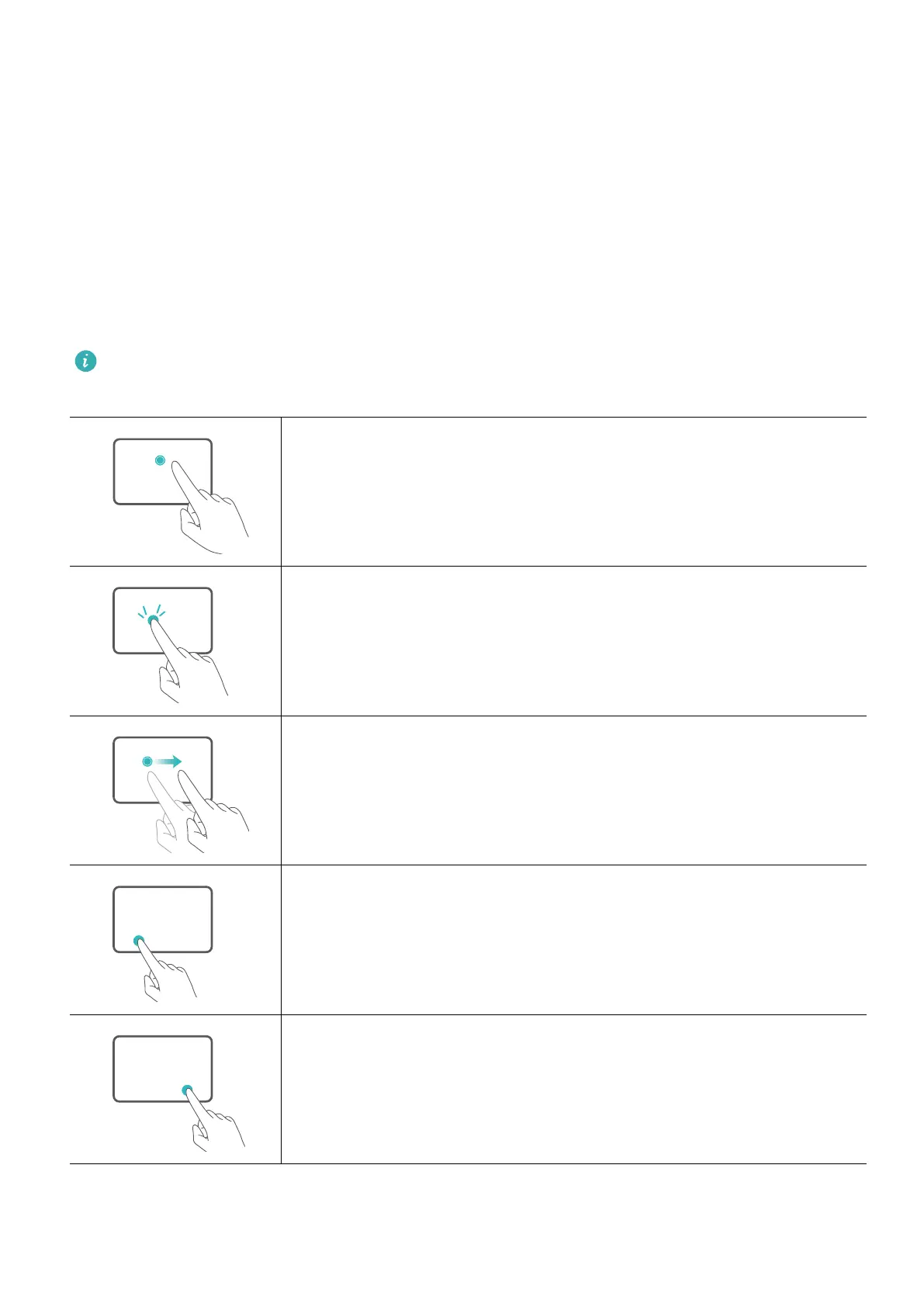
Common touchpad gestures
Tap with one nger: Left-click.
Tap twice with one nger: Double-click.
Slide with one nger: Move the cursor.
Press the left touchpad button: Left-click.
Press the right touchpad button: Right-click.
Get to know your computer
4











 To Next Page