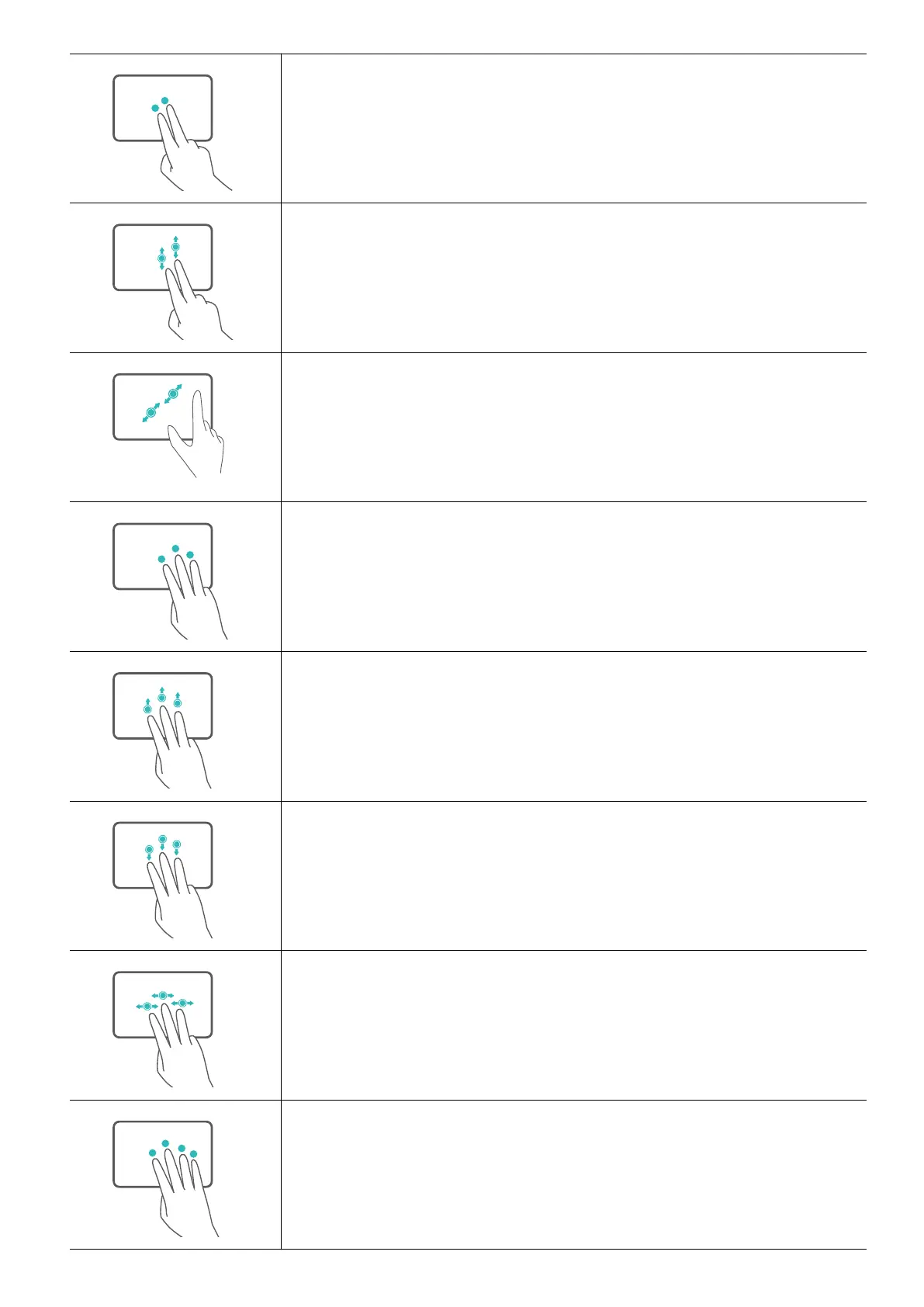
Tap with two ngers: Right-click.
Slide up or down with two ngers: Scroll up or down.
Pinch in or stretch out with two ngers: Zoom in or out.
Tap with three ngers: Open search.
Slide up with three ngers: See all open windows.
Slide down with three ngers: Show the desktop.
Slide left or right with three ngers: Switch between open
windows.
Tap with four ngers: Open notication center and calendar.
Get to know your computer
5












 To Next Page