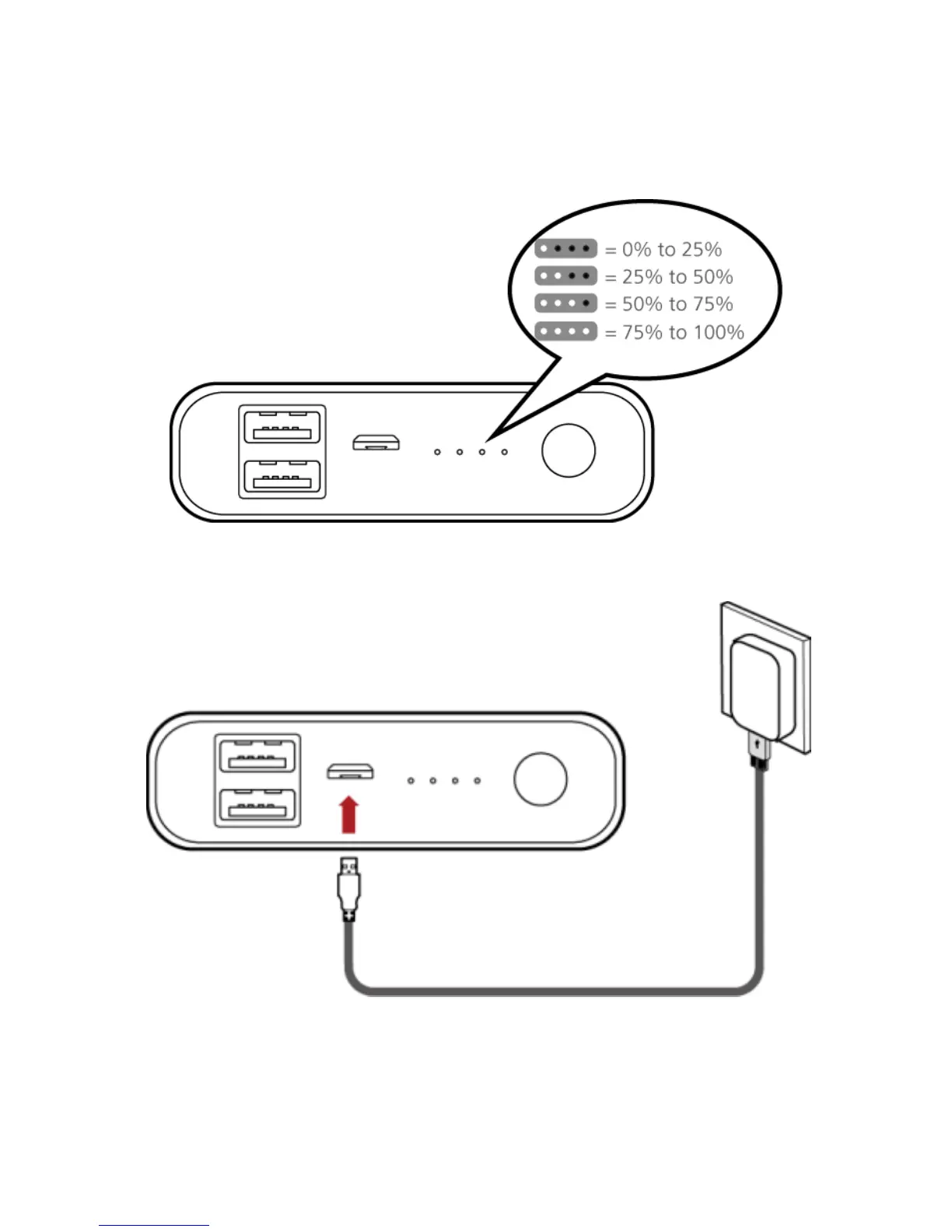
Checking the power level
When the power bank is on standby, press the power button to check the
remaining power.
Charging the power bank
Fully charge the power bank before your first use.
Connect the power bank to a power outlet using the charging cable and adapter
(5 V/2 A). If the indicators are blinking, the power bank is being charged. The
power bank is fully charged when the indicators become steady on.









 To Next Page