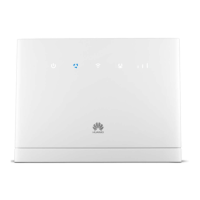
To access your wireless network
without entering in your Wi-Fi
key, press and hold for 2 or more
seconds until is blinking to
active WPS connection when Wi-
Fi is turned on.
Press and hold for about 3
seconds to power the Modem on
or off.
When the Modem is powered on,
use a sharply pointed object to
press and hold for about 3
seconds.
Restoring the default settings of
the Modem will erase all previous
settings.
Connect to compatible power
adapter.
Connect to computer or other
network devices.
Working as a LAN port when
connected to a computer, switch,
or other LAN device.



 To Next Page