EasyManua.ls Logo

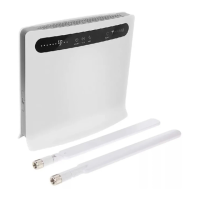
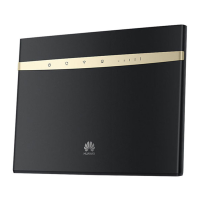
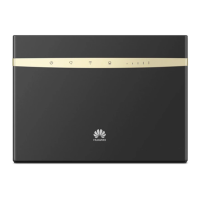
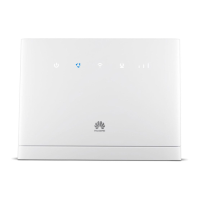
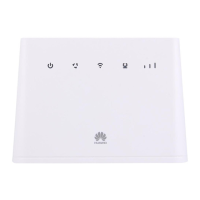
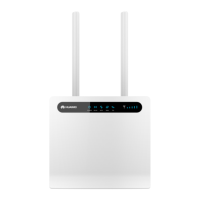
Huawei B593s-31A - User Manual

Huawei B593s-31A
21 pages
Print Icon
To Next Page IconTo Next Page
Loading...
Product Description
B593s- LTE450M CPE B593s-31A V100R001
Product Description
02
2013-08-05

Questions and Answers

  • A
    Andrew TurnerSep 23, 2025
    What to do if Huawei TE30 has insufficient port resources due to multiple conferences?
    • C
      Caroline RobinsonSep 23, 2025
      If port resources are insufficient due to multiple ongoing conferences, you need to wait until resources become available. Alternatively, reduce the number of sites attending the conference and then add sites as required after the conference has started successfully.
  • S
    Suzanne RogersAug 23, 2025
    Why can't I call a remote site using the IP address on my Huawei Conference System?
    • M
      Mariah Fuller PhDAug 23, 2025
      If you're unable to place a call to a remote site using the IP address on your Huawei Conference System, it could be due to incorrect NAT settings if your local endpoint is on a private network and the remote endpoint is on a public or different private network. Verify the NAT settings under Advanced Settings > Settings > Network > Firewall. Alternatively, the GK with which your local or remote endpoint is registered might not support placing calls using the IP address. In this case, disable the GK under Advanced Settings > Settings > Network > IP > H.323 at both the local and remote sites.
  • S
    Susan NguyenAug 25, 2025
    How to improve blurry remote video quality on Huawei TE30 Conference System?
    • P
      Patrick DunlapAug 26, 2025
      If the remote video is unclear during a conference on your Huawei TE30 system, with artifacts, frozen images, or discontinuity, the issue could stem from several factors. It may be due to faults on the local video module, requiring the TE30 to be sent to the local distributor for maintenance. Check if the remote camera is set to focus automatically, rather than on a near or far scene. If the conference rate is below 256 kbit/s, ensure the audio protocol is set to G.728 to reduce audio bandwidth usage. High network traffic can also cause low video bandwidth; avoid conferences during peak network hours. Lastly, poor quality network connection devices may cause data loss; consider replacing these devices.
  • E
    Evelyn ShieldsAug 26, 2025
    Why can't local and remote sites call each other using site numbers on Huawei Conference System?
    • P
      Phillip BurkeAug 27, 2025
      If the local and remote sites cannot call each other using site numbers on your Huawei Conference System, it may be because either the local or remote site is not registered with a GK. Verify the GK registration settings. Another reason could be that the local or remote endpoint is not connected to an IP network. Ensure that the IP network cable is properly connected and verify the IP network settings.
  • C
    Cory TranAug 27, 2025
    What to do if Huawei TE30 Conference System display doesn't show video or UI?
    • J
      Jeffrey WilcoxAug 27, 2025
      If your Huawei TE30 Conference System display doesn't show the remote controlled UI or local video when powered on but not in a conference, first check if the display is powered on. If it is, ensure the correct video channel is selected using the remote control. Incorrect video settings on the TE30 or display, such as brightness set to 0, can also cause this; retain the default values for video parameters. Finally, verify that the video cable is securely connected between the TE30 and the display.
  • R
    Ray KimSep 17, 2025
    What to do if Huawei Conference System local address book records cannot be exported?
    • R
      Ryan SullivanSep 17, 2025
      If you're unable to export records from the local address book on your Huawei Conference System, the pop-up blocker is likely enabled on your browser. In Internet Explorer, go to Tools > Pop-up Blocker > Turn Off Pop-up Blocker. If using Firefox, go to Tools > Options. On the General tab, select Show the Downloads window when downloading a file. On the Privacy tab, select Accept cookies from sites, and then click OK to save the settings.
  • R
    Richard BatesSep 14, 2025
    What to do if a predefined conference fails to start on Huawei TE30?
    • S
      Scott PatelSep 14, 2025
      If a predefined conference fails to initiate on your Huawei TE30, it could be because the TE30 is disconnected from the videoconferencing network. Check the network connection and fix any identified issues.
  • K
    Kimberly GordonSep 16, 2025
    Why is the Huawei Conference System web interface slow in Internet Explorer 6?
    • S
      Sharon HillSep 16, 2025
      If the endpoint web interface responds slowly in Internet Explorer 6, it's likely that the JavaScript engine of Internet Explorer 6 is not upgraded, or the required patches are not installed. Install the necessary patches and consider installing Microsoft Windows Script 5.7.
  • L
    Leslie BrownSep 6, 2025
    Why does Huawei TE30 Conference System show local video but not remote controlled UI?
    • D
      Dana PageSep 6, 2025
      If the Huawei TE30 Conference System displays local video but not the remote controlled UI during a conference, ensure a display is connected to the output port of the remote controlled UI and verify the display's video settings. If the TE30 isn't responding to remote control operations, Telnet to the TE30. If you still can't operate it, the endpoint might be malfunctioning. Restart the TE30; if the problem continues, contact your local distributor for maintenance.
  • W
    William McconnellSep 3, 2025
    Why can I only hear the local site during a Huawei TE30 conference?
    • B
      Bryce BentleySep 3, 2025
      If you can only hear the sound from the local site during a Huawei TE30 conference, it's possible that a loopback test is being performed at the local site. Stop all local and remote loopback tests.

Huawei B593s-31A Specifications

General IconGeneral
ModelB593s-31A
Device TypeWireless Router
4G LTE SupportYes
LTE CategoryCategory 4
LTE Download Speed150 Mbps
LTE Upload Speed50 Mbps
3G Download Speed42 Mbps
3G Upload Speed5.76 Mbps
Wi-Fi Standards802.11 b/g/n
Wi-Fi Frequency2.4 GHz
Wi-Fi SpeedUp to 300 Mbps
Ethernet Ports4
Phone Ports1
USB Port1
Antenna Ports2
SIM Card Slot1
SecurityWPA, WPA2
Weight500 g

Related product manuals