Need help?
Do you have a question about the Huawei DEC6108 and is the answer not in the manual?
Keep device dry, prevent collision during transport/storage/installation. Do not disassemble. Avoid unauthorized modifications. Installation by professionals.
Ensure proper component operations. Operate within 0-45°C and 5-95% humidity. Install in ventilated area. Power off before installation. Stop and power off if exceptions occur.
Supports H.264/H.265 decoding. Specifies channel counts for D1, 720P, 1080P, 4K resolutions. Supports simultaneous decoding up to 480 Mbit/s.
Supports 8 HDMI video outputs. Lists resolutions (4K, 1080P, UXGA, SXGA, 720P, XGA). Groups of HDMI ports share decoding chip and output specs.
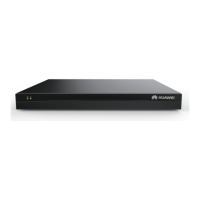
Shows power health indicator and link indicator of the GE port on the front of the device.
Details rear panel ports: COM, HDMI1-8, GE port, Ground terminal, Power port, and Power button.
Attach four bottom caps to the device and place it horizontally on a desktop for installation.
Notes for cabinet installation: fix with M6 screws/mounting ears. Avoid rubber feet. Right-to-left airflow is important for heat dissipation.
Steps for single-device cabinet deployment: plan floating nut locations, install nuts, attach mounting ears, and secure device with M6 screws.
Details on multi-device cabinet deployment: decoders can be stacked without space reservation between them.
Attach mounting ears using M4*6 screws. Mark wall positions with specific vertical/horizontal distances and drill holes for M6 expansion bolts.
Defines hardware warranty (12 months) and software media warranty (3 months). Specifies warranty start dates based on service purchase and shipment.
Provides information on obtaining free warranty service, technical support contacts (email), and TAC support hotlines.
 General
| Brand | Huawei |
|---|---|
| Model | DEC6108 |
| Category | Media Converter |
| Language | English |

 To Next Page