4
Preparation
Requirements for the Computer
To use the E160E, the computer should meet the following requirements:
USB Type A Receptacle, Compatible with USB 2. 0 High Speed.
Windows 2000 SP4, Windows XP SP2, Windows Vista.
Mac OS X 10.4 and 10.5 with latest upgrades
Your computer’s hardware system should meet or exceed the recommended system
requirements for the installed version of OS.
Resolution for the display: 800 × 600 or above.
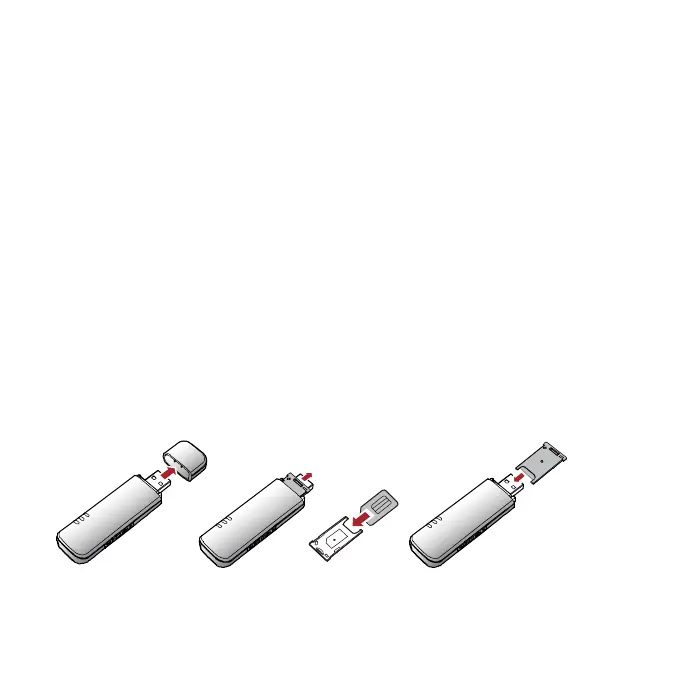
Getting Your E160E Ready
1. Remove the USIM/SIM card slot from the E160E.
2. Insert the USIM/SIM card into the card slot.
3. Insert the card slot into the E160E.



 To Next Page