How to use your USB modem. Usage and safety instructions.
Using your USB modem
>
Onlyuseoriginalaccessoriessuppliedby
themanufacturer.Usingunauthorised
accessoriesmayinvalidateyourwarranty.
>
AvoidusingtheUSBmodemnearorinside
metallicstructuresorestablishmentsthat
canemitelectromagneticwaves.
>
TheUSBmodemisnotwaterproof,please
keepitdryandstoreitinacoolplaceout
ofdirectsunlight.
>
HandletheUSBmodemwithcare.Don’t
drop,bend,knockortreatitharshlyto
avoiddamagetotheunit.
>
Therearenouserserviceableparts.
Dismantlingtheunitwillinvalidate
thewarranty.
>
Operatingtemperaturerangeof
-20°Cto60°Candhumidity5%to95%
arerecommended.
General safety
> Theuseofelectronictransmittingdevicesisforbiddeninaircraft,atpetrolstations
andinhospitals.Pleaseobserveandobeyallwarningsignsandswitchoffyour
modemintheseconditions.
> OperatingaportablePCandUSBmodemmayinterferewithmedicaldevices
likehearingaidsandpacemakers.
> Beawareofwarningsignsinplacessuchasoilreneriesorchemicalfactories
wherethereareexplosivegasesorexplosiveproductsbeingprocessed.
> StoretheUSBmodemoutofthereachofchildren.TheUSBmodemmay
causeinjuryifusedasatoyormaybedamagedbyroughplayormoisture.
6 7
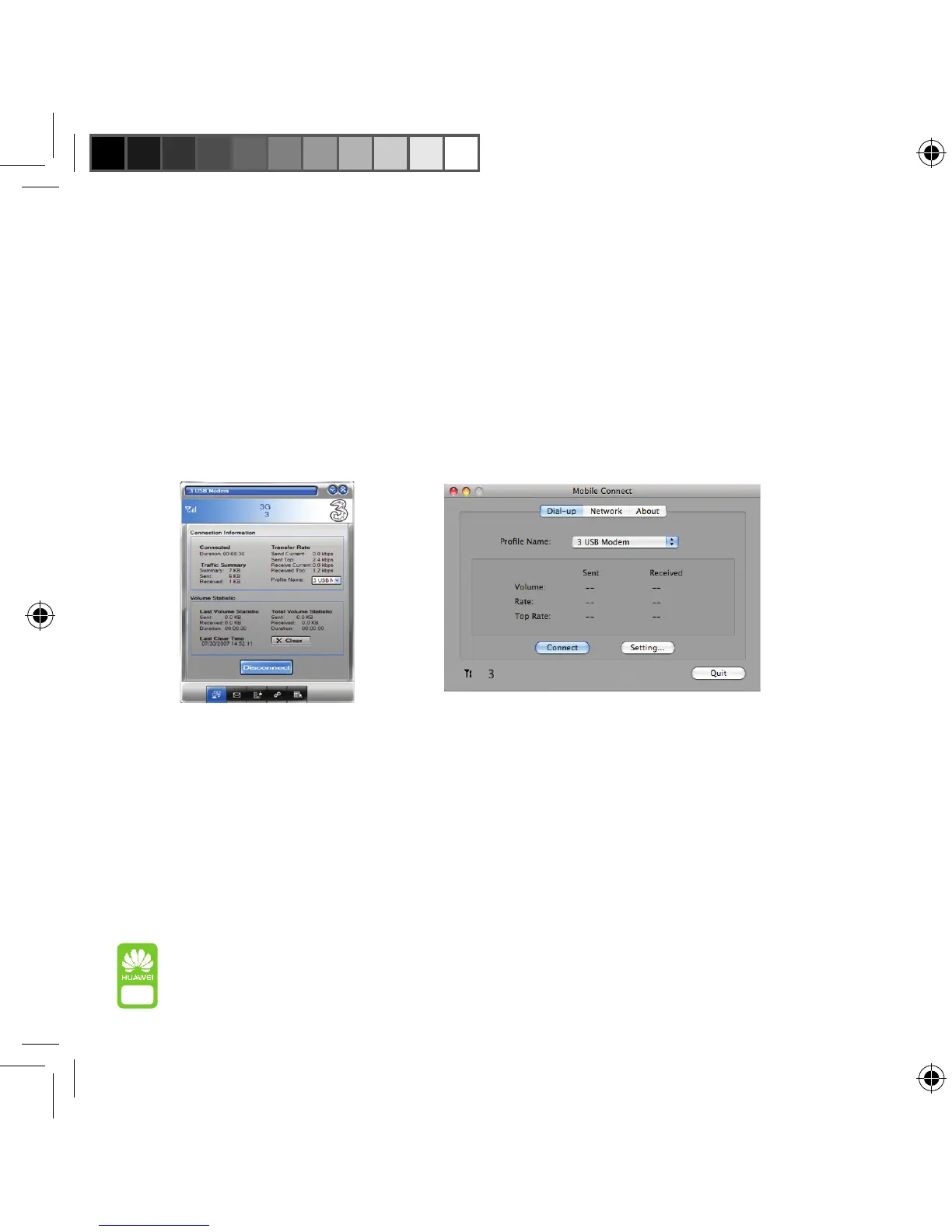
Thenetworkwillshowyouifyourconnectionissuccessful.Thenyou’reready
tostartusingtheinternet,justlikeyouwoulddoonanyothercomputer.
Toendyourinternetsession,justclickondisconnect.
Oncethesoftwareisinstalled,allyouneedtodoeachtimeyouwanttouse
yourUSBmodemisconnectit(seepage4foraquickrefresh)andthenwait
forthefollowingscreentoappear.Itshouldtakeabout30secondsandwhen
itpopsupclickonConnect.
PCversion Macversion



 To Next Page