(cont.)
My Computer or Computer if you are
using Windows Vista or Windows 7).
b) For Mac OS X 10.6 or 10.7.7
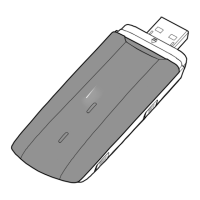
When the 4G modem has been connected
toyourcomputeraniconwiththetext
Mobile Broadband will appear. Double-click
the icon to start the installation program.
Then follow the on-screen instructions.
5
Enter your SIM card’s PIN code and
connect to the Internet
When the installation has been completed a
connection program called Mobile Broadband
will launch automatically. If your SIM card
has a PIN code activated, you should now
enter it. When the modem has found the
network the signal strength will be displayed
and you can connect.
6
Done!
You can now start to surf the Internet.
Press Connect to connect to the Internet,
when you are connected the same button
will read Disconnect, press it to disconnect.
Smart tips for using your modem
•Nevershutdownyourconnectionprogram
while connected to the Internet, as this will
cause you to lose your connection. Minimise
the window instead if it is in the way.
•Tosendatextmessageviamobilebroadband,
click the envelope icon in the connection program.
Click New in the new window and enter the number
totherecipientandthetextthatyouwanttosend.
When you have finished, click Send. Click Inbox
toviewreceivedtextmessages.Duringtheroll-
out of the 4G network it may be difficult to send
textmessagesviathenewnetwork.Youcanthen
switchto3Gor2Gtousethetextmessaging
function.
•TodeactivateyourPINcode,gotoSettings
and select PIN Options and then Deactivate/
Activate PIN. Then enter your PIN code and click
OK. Under PIN Options you can also change
your PIN code in the same place by clicking
Change PIN.
•Ifyourcomputerdoesnotfindthemodem,you
can try connecting it to another USB port. If this
does not work, try restarting your computer.
•Toviewhowmuchdatayouhaveused,click
Connection information in the connection program.
This shows your rough usage.
84 85
UK


 To Next Page
 Loading...