
 Need help?
Do you have a question about the Huawei E5180 and is the answer not in the manual?
Describes the various uses of the LTE cube, including internet access and voice services.
Details the physical components and ports of the LTE cube with numbered illustrations for identification.
Step-by-step guide on how to correctly insert the micro-SIM card into the LTE cube.
Instructions on connecting an optional external antenna to improve signal reception.
Guidance on how to properly connect the power adapter to the LTE cube for operation.
Covers general electronic device safety and precautions for interference with medical equipment.
Advises on safety in hazardous environments, traffic, and optimal operating conditions.
Highlights safety measures for children, approved accessories, and power adapter usage.
Details safety guidelines for cleaning, maintenance, and responsible disposal of the device and accessories.
Outlines the equipment's compliance with FCC rules regarding radio frequency emissions and interference.
This document provides a quick start guide for the LTE cube, a device designed to provide high-speed wireless network connectivity. It aims to help users understand the device and begin using it immediately. For more detailed information on functions and configurations, users can refer to the online help available on the web management page.
The LTE cube serves multiple functions in a network environment. Primarily, it offers Internet access for both Wi-Fi-enabled devices and computers, making it a versatile hub for connectivity. Additionally, it can be connected to a telephone to provide voice services. It's important to note that when operating on a 2G network, the LTE cube supports circuit-switched (CS) calls but does not support Voice over IP (VoIP). The device also facilitates fax services by connecting to a fax machine. For expanding local area network (LAN) coverage, the LTE cube can be integrated with a hub or a switch, enhancing its utility in various setups.
When using the LTE cube, users can adjust its position or orientation to optimize signal reception, which is a useful feature for improving network performance in different locations.
The installation environment plays a crucial role in the LTE cube's performance. Obstacles such as concrete and wooden walls can impede network signal transmission, so it is recommended to install the device in an open space. To prevent interference, the LTE cube should be kept away from equipment that generates strong magnetic and electric fields, such as microwaves, refrigerators, and satellite receivers.
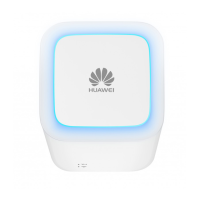
The device features several indicators and ports for user interaction and connectivity. The external antenna port, accessible by pulling out a cover, allows for the connection of an optional external antenna to enhance signal reception, particularly in areas with poor coverage. The power button serves a dual purpose: pressing and holding it powers the LTE cube on or off, while a short press toggles the decorative indicator light.
The decorative indicator illuminates when the LTE cube is powering on or when the indicator is manually turned on. The signal indicator uses a color-coded system to display signal strength: steady blue indicates strong signal, steady yellow indicates weak signal, and steady red signifies no signal. The Wi-Fi indicator shows the status of the Wi-Fi function: on means Wi-Fi is enabled, and off means it is disabled. Users can refer to the WLAN settings section of the online help for instructions on manually enabling or disabling Wi-Fi. The network port indicator provides information about data transmission: steady green with yellow off indicates a connected device with no data transmission, steady green with blinking yellow indicates data transmission, and both green and yellow off mean no device is connected.
Connectivity options include a network port (RJ45) for connecting to a computer, switch, or other network devices, and voice ports (RJ11) for connecting to a telephone or fax machine. The power port is used to connect the LTE cube's power adapter. A reset button is available to restore the device to its factory settings by pressing and holding it. It's important to remember that restoring default settings will override all previous configurations. The device also includes a micro-SIM card slot to accommodate a micro-SIM card.
For initial setup, installing the micro-SIM card involves following the provided illustration. When removing the micro-SIM card, users should gently press it in, and it will automatically pop out. It is crucial not to remove the micro-SIM card while the LTE cube is powered on, as this can affect device performance and lead to data loss.
Connecting an external antenna is an optional step for improving signal reception in areas with poor coverage. Before installing or uninstalling the external antenna, ensure the LTE cube is powered off and disconnected from the power outlet. Only manufacturer-provided antennas should be used, and external antennas should only be used indoors, not during thunderstorms. To optimize performance, the LTE cube should be placed at least 1 meter away from the external antenna, and if two external antennas are used, they should also be separated by more than 1 meter.
Connecting to a power adapter is straightforward, following the provided illustration. Users must use the provided power adapter, as incompatible or unknown power adapters can cause malfunctions, failure, or even fire, and will void all warranties.
Logging in to the web management page is essential for initial installation, parameter configuration, and function management. After connecting the LTE cube cables, the computer's IP address needs to be configured to be in the same network segment as the LTE cube. The default IP address for the LTE cube is 192.168.8.1, with a subnet mask of 255.255.255.0. It is recommended to use automatically obtained IP addresses for the computer and DNS server; if manually configured, the DNS server IP address must be set to the LTE cube's IP address to ensure successful login. After configuring the IP address, open a browser, enter http://192.168.8.1 in the address box, and then enter the username and password, which are printed on the LTE cube label, to access the web management page.
Maintenance features are crucial for the longevity and safe operation of the LTE cube. During thunderstorms and rainy weather, the device should be turned off and disconnected. The LTE cube should be placed on a stable surface and kept away from electronic appliances that generate strong magnetic or electric fields, such as microwave ovens or refrigerators. If the device overheats, stop using it or its applications for a while, as prolonged skin exposure to an overheated device can cause low-temperature burns. The device's antenna should not be touched, as this can reduce communication quality. Children and pets should not be allowed to bite or suck the device or its accessories, as this can cause damage or explosion. The device should be installed and operated with a minimum distance of 20 cm between the radiator and the user's body. It should be kept in a place with good reception, with a distance greater than 25 cm from other metal materials and greater than 30 cm from metal brackets or metal doors and windows.
To protect the device from fire or electrical shock hazards, avoid rain and moisture. Keep the device away from heat and fire sources like heaters, microwave ovens, stoves, water heaters, radiators, or candles. No objects, such as candles or water containers, should be placed on the device. If any foreign object or liquid enters the device, immediately stop using it, power it off, remove all cables, and contact an authorized service center. Local laws and regulations, as well as the privacy and legal rights of others, must be observed. Device openings should not be blocked, and a minimum of 10 cm clearance around the device should be maintained for heat dissipation.
For cleaning and maintenance, the device should be kept dry during storage, transportation, and operation. Do not attempt to dry it with external heat sources like microwave ovens or hair dryers. Avoid exposing the device or accessories to extreme heat or cold, as these environments can interfere with proper function and lead to fire or explosion. Collision should be avoided to prevent malfunctions, overheating, fire, or explosion. If the device will not be used for an extended period, power it off and remove all cables. If any unusual occurrences like smoke, unusual sound, or smell are noticed, immediately stop using it, power it off, remove all cables, and contact an authorized service center. Cables should not be trampled, pulled, or excessively bent, as this can cause damage and malfunction. Before cleaning or maintaining the device, stop using it, stop all applications, and disconnect all cables. Chemical detergents, powders, or other chemical agents (such as alcohol and benzene) should not be used to clean the device or accessories, as these substances can cause damage or present a fire hazard. Instead, use a clean, soft, and dry cloth. Magnetic stripe cards, such as credit cards and phone cards, should not be placed near the device for extended periods, as they may be damaged. The device and its accessories should not be dismantled or remanufactured, as this voids the warranty and releases the manufacturer from liability.
In case of damage, contact an authorized service center for assistance or repair. For environmental protection, the device and its accessories should not be disposed of with household garbage but should be collected and recycled according to local regulations.
 General
| LTE Category | Category 4 |
|---|---|
| Download Speed | 150 Mbps |
| Upload Speed | 50 Mbps |
| Wi-Fi Standards | 802.11b/g/n |
| Wi-Fi Frequency | 2.4 GHz |
| SIM Card Slot | Yes |
| Weight | 250 g |
| Wi-Fi Users | 32 |
| Device Type | LTE Router |
| External Antenna | Yes |
| SIM Card Type | Micro-SIM |
| LAN Ports | 1 |





 To Next Page