10
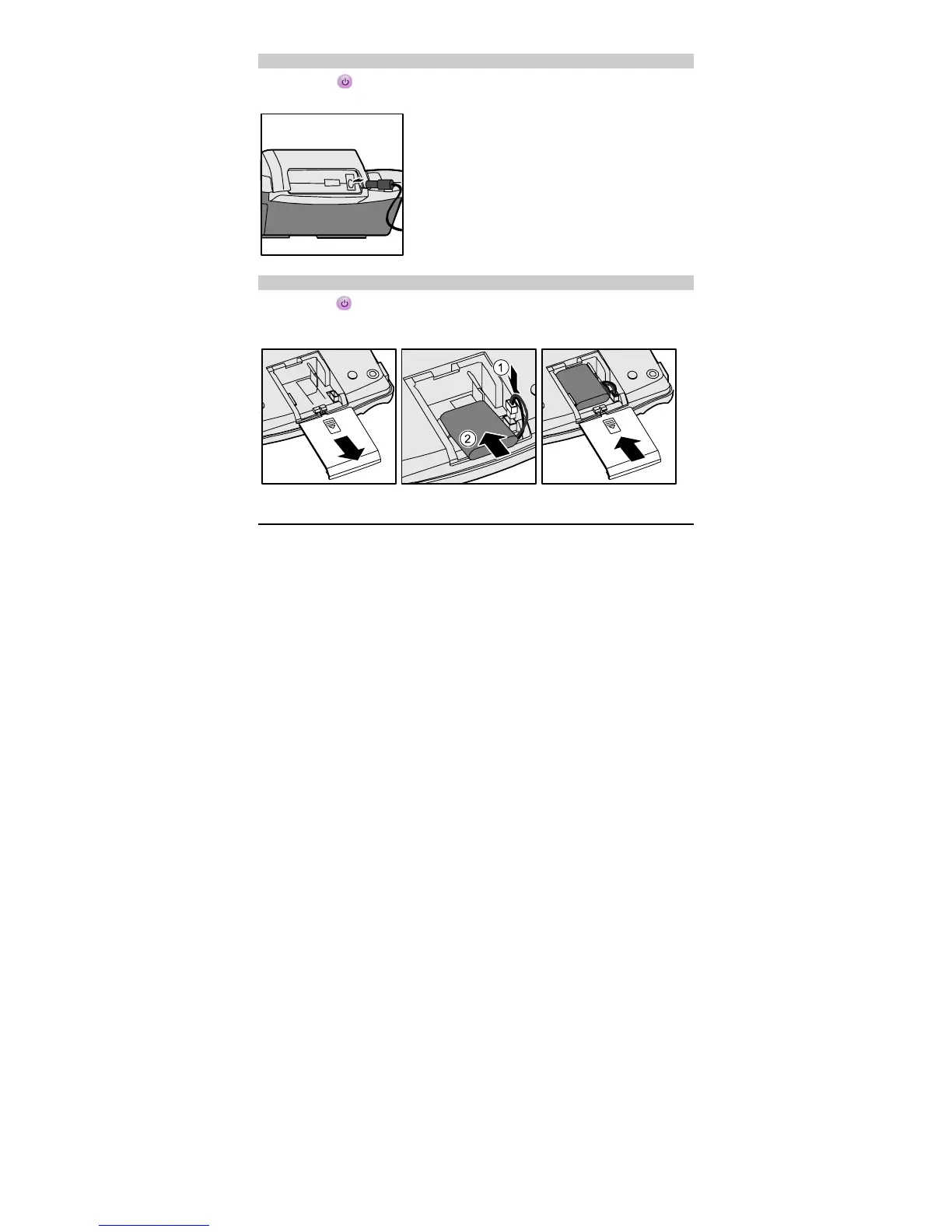
Installing the Power Adapter
Press and hold to power off your FWT. Connect the power adapter to the FWT, and
plug it to the power socket.
Installing the Battery
Press and hold to power off your FWT and then disconnect the FWT from the power
socket. Then install the battery as shown in the following figure. When installing the battery,
make sure that the battery cord plug matches the battery jack. Do not insert reversely.
Installing the Indoor Antenna
The antenna comprises of the indoor antenna and the outdoor antenna. In the area where the
signal is strong, you can install the indoor antenna. In the area where the signal is weak,
you can install the outdoor antenna. For details of antenna selection and installation, consult
your service provider.
Power off your FWT, disconnect the FWT from the power socket, or remove the battery.
Then connect the indoor antenna to the antenna jack on the Main unit. Make sure that the
antenna is stably connected to the antenna jack.



 To Next Page