6
No. Item Description
1
Display Screen To display information.
2
Antenna To receive signals.
3
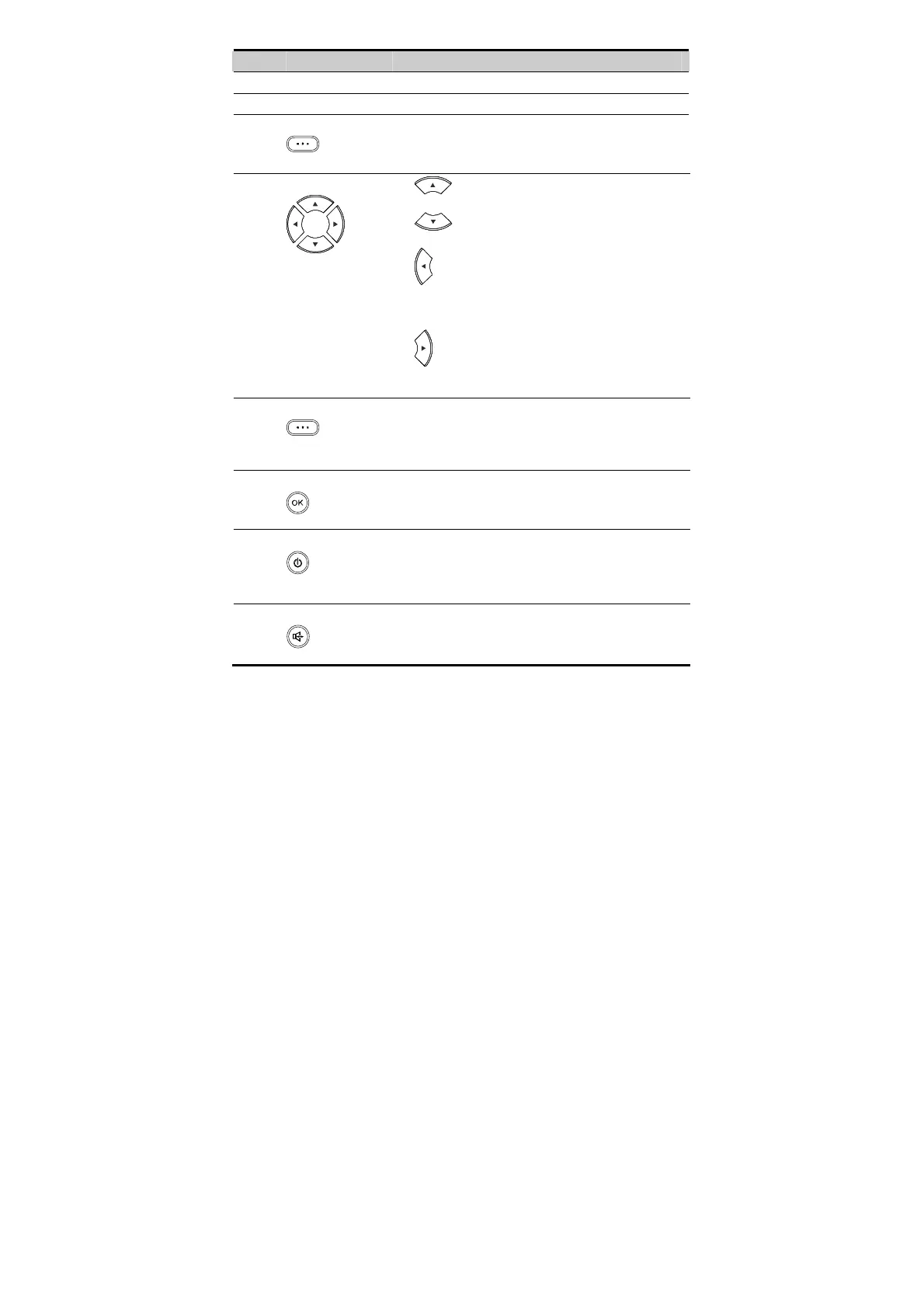
Left soft key
z In the standby mode, press it to access the home screen.
z In the non-standby mode, press it to perform the
operation displayed on the lower left corner of the
screen.
4
Navigation keys
z : In the standby mode, press it to access the
Write interface for writing a message.
z : In the standby mode, press it to access the
Phonebook interface.
z
: In the standby mode, press it to access the Recent
Calls interface. In the edit mode, press it to move the
cursor to the left. During a call, press it to adjust the
volume.
z
: In the standby mode, press it to access the Alarm
interface. In the edit mode, press it to move the cursor to
the right. During a call, press it to adjust the volume.
5
Right soft key
z In the standby mode, press it to access the Phonebook
interface.
z In the non-standby mode, press it to perform the
operation displayed on the lower right corner of the
screen.
6
OK key
z In the standby mode, press it to access the main menu.
z In the non-standby mode, press it to perform the
operation displayed on the lower left corner of the
screen.
7
End key
z Press it to end a call or cancel the dialing.
z Press and hold it for two seconds to power on or off the
FWT.
z In the non-standby mode, press it to return to the standby
mode.
8
Hands-free key
z In the standby mode, press it to make or answer a call
without lifting the handset.
z In the hands-free mode, press it to cancel the dialing.
z In the hands-free mode, press it to end an ongoing call.









 To Next Page