7
No. Item Description
9
Call/Redial key
z Press it to make or answer a call.
z In the standby mode, press it to view the call history.
10
# key
z Enter the "#".
z In the edit mode, press it to switch between input
methods.
11
* key
z Enter the "*".
z In the edit mode, press it to display a symbol list.
12
Number keys
z Press keys 0–9 to enter numbers or characters.
z In the standby mode, press and hold a key to speed dial a
phone number.
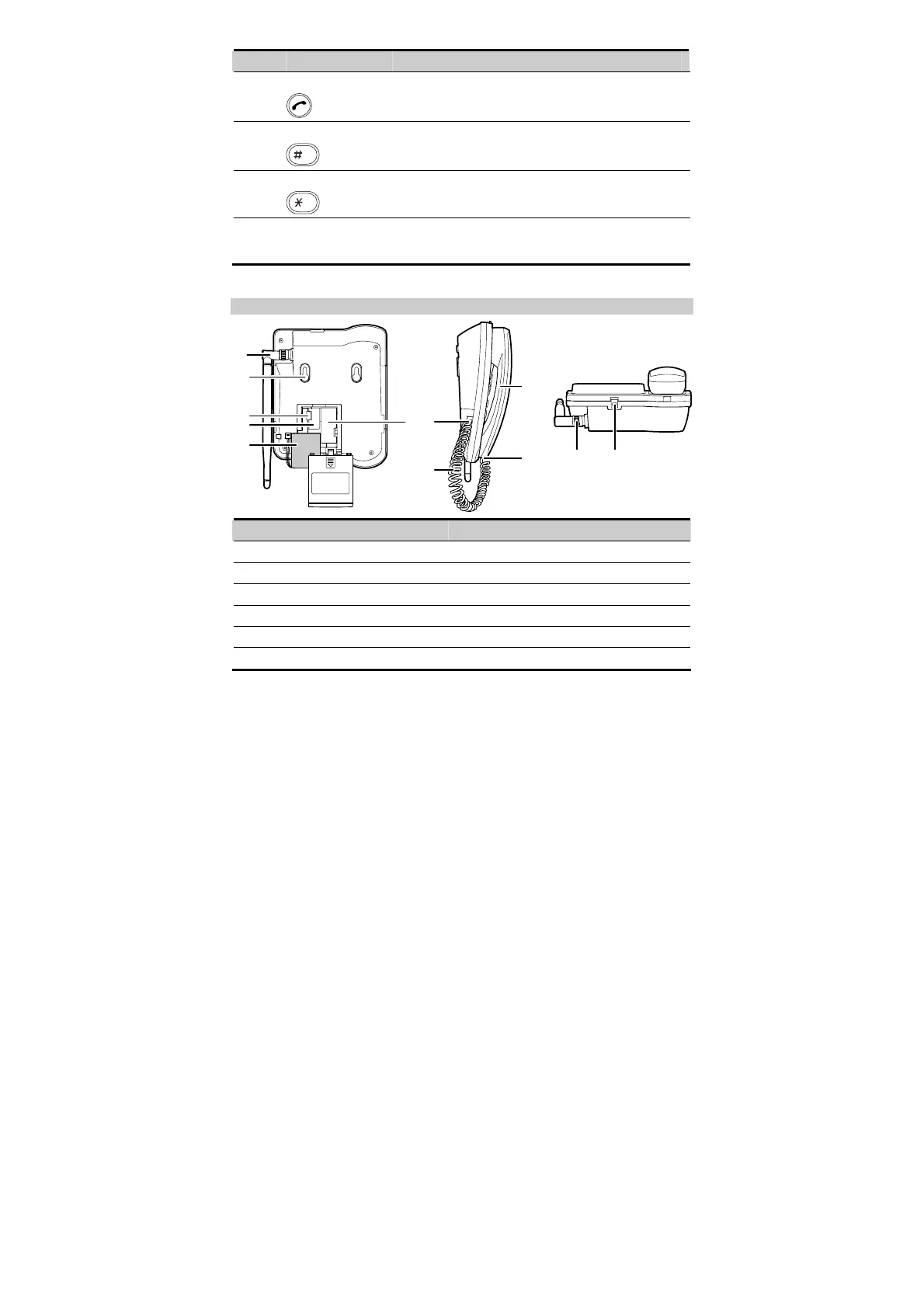
Back View
1
2
3
4
5
67
8
10
9
1211
No. Item No. Item
1
Antenna
7
Coiled cord jack on the main unit
2
Hook
8
Coiled cord
3
Battery cord jack
9
Coiled cord jack on the handset
4
SIM card slot
10
Handset
5
Battery
11
Antenna jack
6
Battery case
12
Power jack









 To Next Page