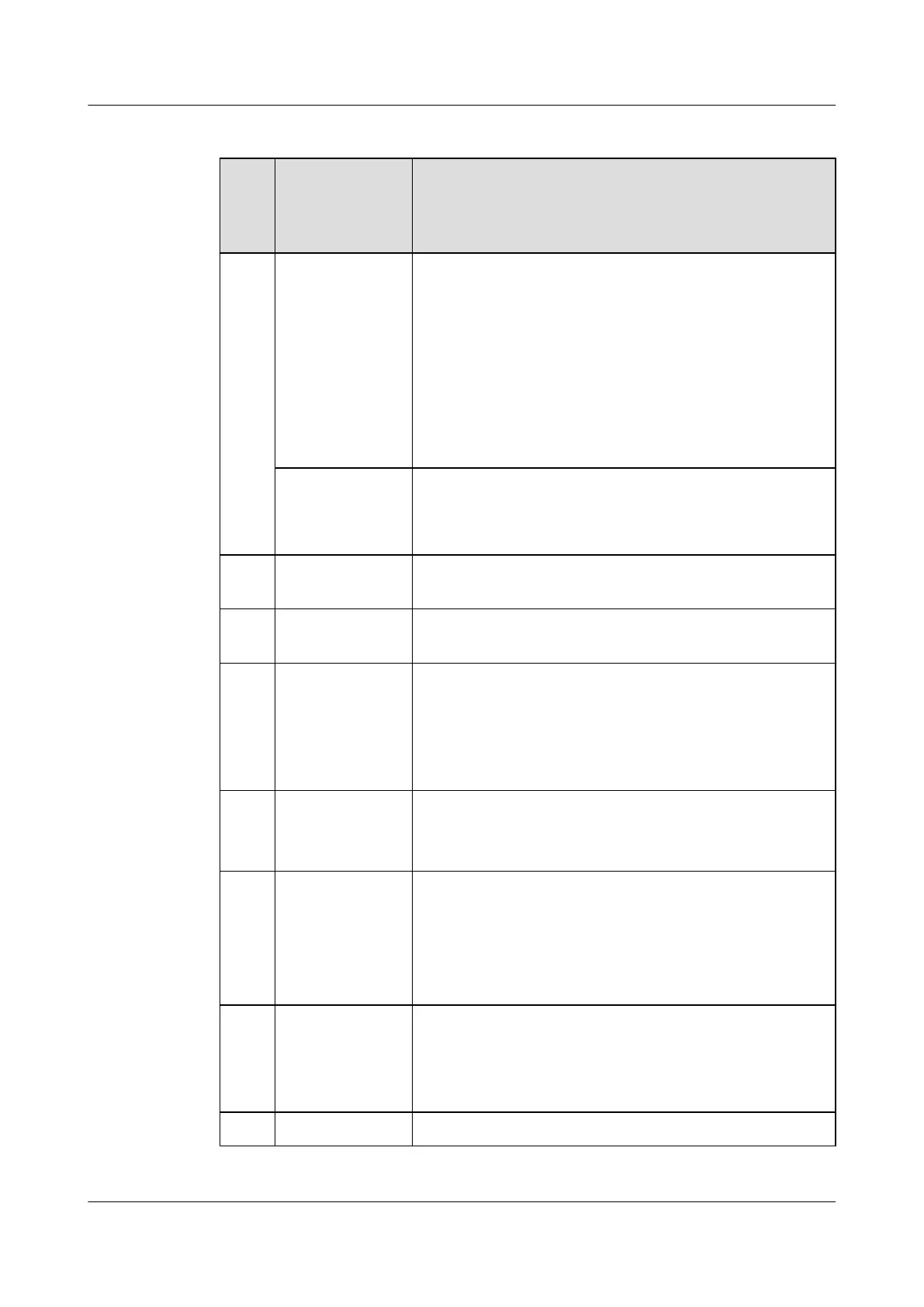
Table 2-1 Keys on the keypad
Sequ
ence
Num
ber
Key Description
1 PTT Group button
l In standby mode, press to display the PTT group list.
l On the group list screen, press to join the selected group. If
you are already in the group, press to close the group list.
l On the group selection screen, press to join the selected
group.
l When the DMO function is enabled, press to open the
frequency adjust screen. Rotate clockwise to increase the
frequency. Rotate counterclockwise to decrease the
frequency.
Speaker knob
l Controls the ringing volume.
l Controls the volume of an ongoing call.
l Moves the cursor up/down on the group list screen.
2 Function key 1/
Video sending key
Custom function key. By default, this key is a shortcut to Video
Uploading. Hold down to open the video sending screen.
3 Function key 2 Custom function key. By default, this key is a shortcut to Group
Manager.
4 Navigation key Up, Down, Left, and Right keys.
l On a standby screen, press the Down key to display the
notification bar.
l When moving the focus, hold down the Up key to move the
focus to the upmost item on the page.
5 Confirm key
l It is also called the OK key. Press to confirm the current
operation.
l On the standby screen, press to display the home screen.
6 End key It is also called the Red key or Power key.
l When an EV750 is off, hold down to power on the EV750.
l When an EV750 is running, hold down to power off the
EV750.
l Press to end a trunking group call or point to point call.
7 Call key It is also called the Green key.
l Press to answer a call.
l In standby mode, press to display the Call log screen. Select
a record and press to make a point to point call.
8 Return key During menu operations, press to return to an upper-level menu.
EV750
Quick Guide 2 Overview
Issue 05 Huawei Proprietary and Confidential
Copyright © Huawei Technologies Co., Ltd.
6



 To Next Page