Need help?
Do you have a question about the Huawei OptiXRTN 980L and is the answer not in the manual?
General safety advice and warnings for human and equipment safety.
Requirements for installation and maintenance personnel.
Guidelines for installations in elevated locations, including safety measures.
Safety procedures for hoisting heavy objects.
Safety measures related to device operation and ESD protection.
Precautions for installing in corrosion-prone locations.
Safety advice regarding high-power radio frequency signals.
Safety instruction for handling IF cables.
Recommended temperature and humidity ranges for optimal equipment reliability.
Acceptable temperature and humidity ranges for basic operation.
Precautions for installation in harsh environments.
Proper procedures for handling boards using ESD protection.
Guidance on holding the front panel of a board.
Importance of filler panels for preventing foreign matter entry.
Details about the toggle lever switch and its operation.
Step-by-step instructions for turning the toggle lever switch ON.
Step-by-step instructions for turning the toggle lever switch OFF.
Overview of the cabinet and its dimensions.
Description of Branching Units (BUs) and their models.
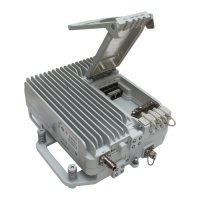
Description of Remote Radio Units (RFUs) and their adapters.
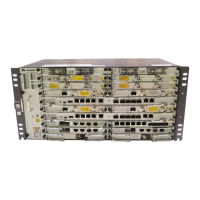
Front, oblique, and side views of the Indoor Unit (IDU).
Illustration of flexible waveguides.
Illustration of elliptical waveguides.
Illustration of rigid waveguides.
Covers assembly, hoisting, layout, grounding, and waterproofing of waveguides.
Steps for installing cabinets, cabinet cables, and IDU cables.
Procedures for installing power, ground, IF, Ethernet, and other service cables.
Steps to verify the correct installation of all components.
Procedures for powering on and configuring NE data.
Steps for aligning single and dual-polarized antennas.
How to check the status of the radio link.
First part of installing power cables.
Second part of installing power cables.
Steps for installing ground cables.
Procedures for installing cabinet ground cables.
Steps for installing PDU ground cables.
Procedures for laying out cabinet cables.
Principles for routing IF cables within a cabinet.
Principles for routing IF cables between cabinets.
Procedures for installing IF cables on IF boards.
Steps for installing Ethernet service cables.
Procedures for installing XPIC cables.
Safety precautions for installing and maintaining fiber optic cables.
Connecting optical ports on boards for fiber installation.
Procedures for installing E1 cables, including wiring details.
Connecting electrical ports for STM-1e cables.
Procedures for installing NM cables for a gateway NE.
Procedures for connecting NM cables between NEs.
Pin assignment details for assembling clock cables.
Connecting clock/time cables to the CSHL board.
Pin assignment for data cables.
Connecting data cables to the AUX board.
Pin assignment for alarm cables.
Connecting alarm cables to the AUX board.
Connecting orderwire phone cables to the AUX board.
Steps for assembling connectors for elliptical waveguides.
Detailed procedures for hoisting the elliptical waveguide.
First part of laying out the elliptical waveguide.
Second part of laying out the elliptical waveguide, including parameters.
Procedures for installing clamps on the elliptical waveguide.
Steps to connect flexible waveguide to antenna.
Procedures for fastening the flexible waveguide with clamps.
Applying waterproofing and anti-corrosion measures on waveguide connectors.
Connecting elliptical and flexible waveguides.
Procedures for making a drip loop.
Steps for installing a flexible waveguide indoors.
Connecting elliptical and flexible waveguides indoors.
Identifying ground points for the elliptical waveguide.
First part of installing ground clips.
Second part of installing ground clips and connecting to ground point.
Methods for waterproofing outdoor waveguide connectors.
Diagram showing dehydrator connection and voltage setting.
Procedures for connecting dehydrator alarm cables.
Steps for powering on the equipment and checking indicators.
Using Web LCT to configure NE data, radio link, and ports.
Step-by-step guide to align single-polarized antennas.
Steps to align dual-polarized antennas.
How to check the LINK indicator status.
Procedures for inserting and tightening RFUs.
First part of installing BUs, including rigid waveguides.
Second part of installing BUs and reinstalling the stiffening beam.
Procedures for installing RF cables using a torque wrench.
Steps to slide and tighten the BU front panel.
Procedures for installing a filter on the BU base.
Ensuring filter interface direction and screwing securely.
Steps to replace an existing filter with a new one.

 To Next Page
 General