1
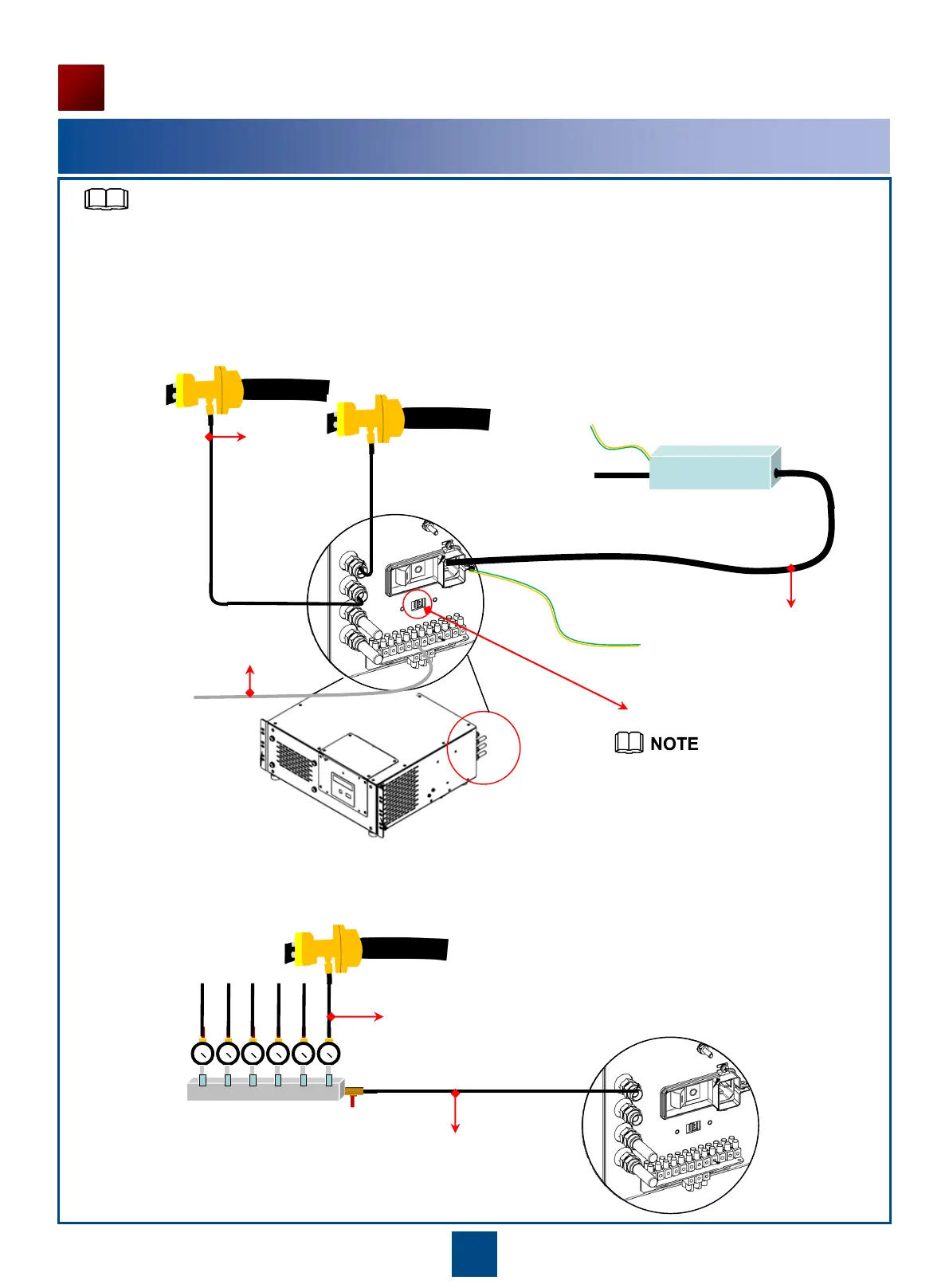
Dehydrator Connection Diagram
Installing a Dehydrator
48
Elliptical waveguide connector
Dehydrator
Distribution manifold
-48 V DC power
supply
System control board
of the IDU
Air pipe
Power cable
Inverter
Ground bar
Elliptical waveguide connector
Ground bar
Alarm signal cable
•A dehydrator provides up to four air output ports. If no more than four elliptical waveguides are used, directly
connect the elliptical waveguides and air output ports using air pipes.
Air pipe
•If five or more elliptical waveguides are used, a distribution manifold is required.
Air pipe
Voltage selection switch
Set the voltage selection switch to
115 V.
For details about how to install a dehydrator, inverter, and distribution manifold, see the related
guides delivered with them.
NOTE


 To Next Page