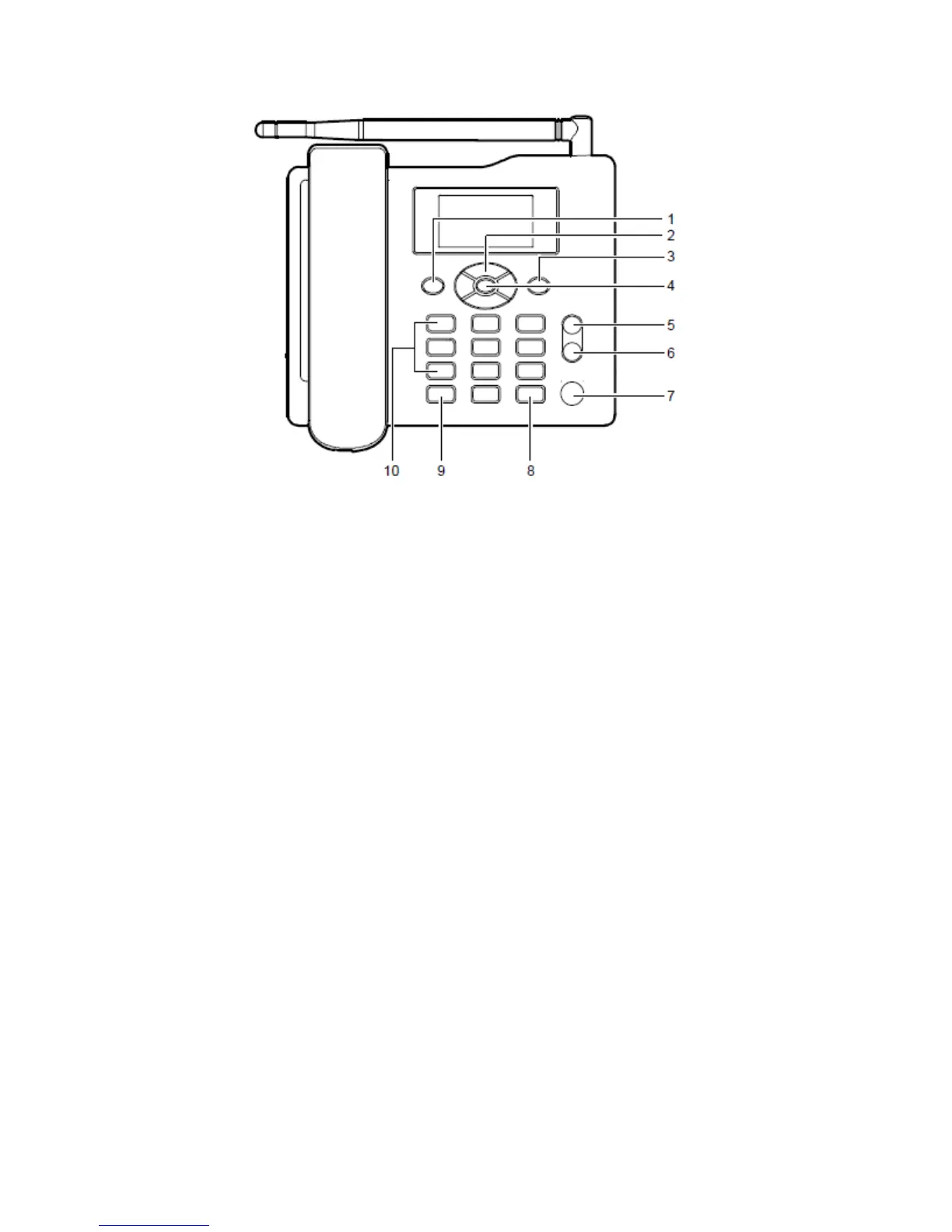
Keys and Functions
No. Item Description
1 Left soft key
� Access the main menu in standby mode.
� Select the option displayed on the lower left corner of the screen.
2 Scroll keys
� Access the shortcut screen in standby mode.
� Adjust the microphone and the earpiece volume during a call.
3 Right soft key
� Access the Phone Book screen in standby mode.
� Select the option displayed on the lower right corner of the screen. 2 No. Item Description
4 OK key
� Access the main menu in standby mode.
� Select the option displayed on the lower left corner of the display screen.
5 End key
� End a call or reject an incoming call.
� Power ON or OFF the FWP (by pressing and holding it).
� Return to the standby mode.



 To Next Page