1
2
3
4
5
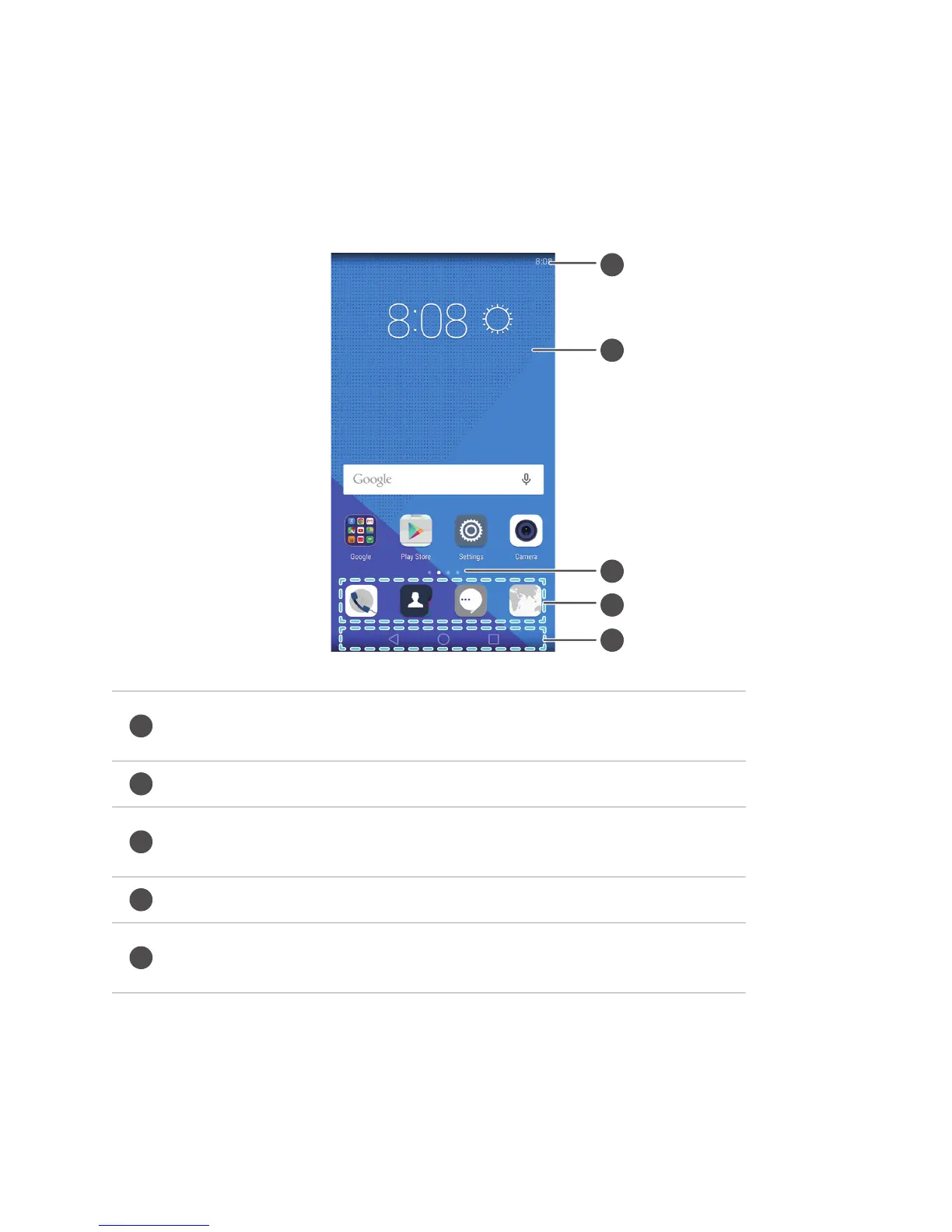
1
Status bar: displays notifications and icons. Swipe down from
the status bar to open the notification panel.
2
Display area: displays application icons, folders and widgets.
3
Screen position indicator: indicates which home screen is
displayed.
4
Dock: displays frequently used applications.
5
Navigation bar: displays virtual keys (only applicable to phones
with virtual navigation keys).
Getting started
20
Home screen
Your home screens are where you can find your favourite widgets and all your
applications. We did away with the application list to give you a more convenient and
direct path to your applications.



 To Next Page