6
7
9
8
1
3
4
2
5
1
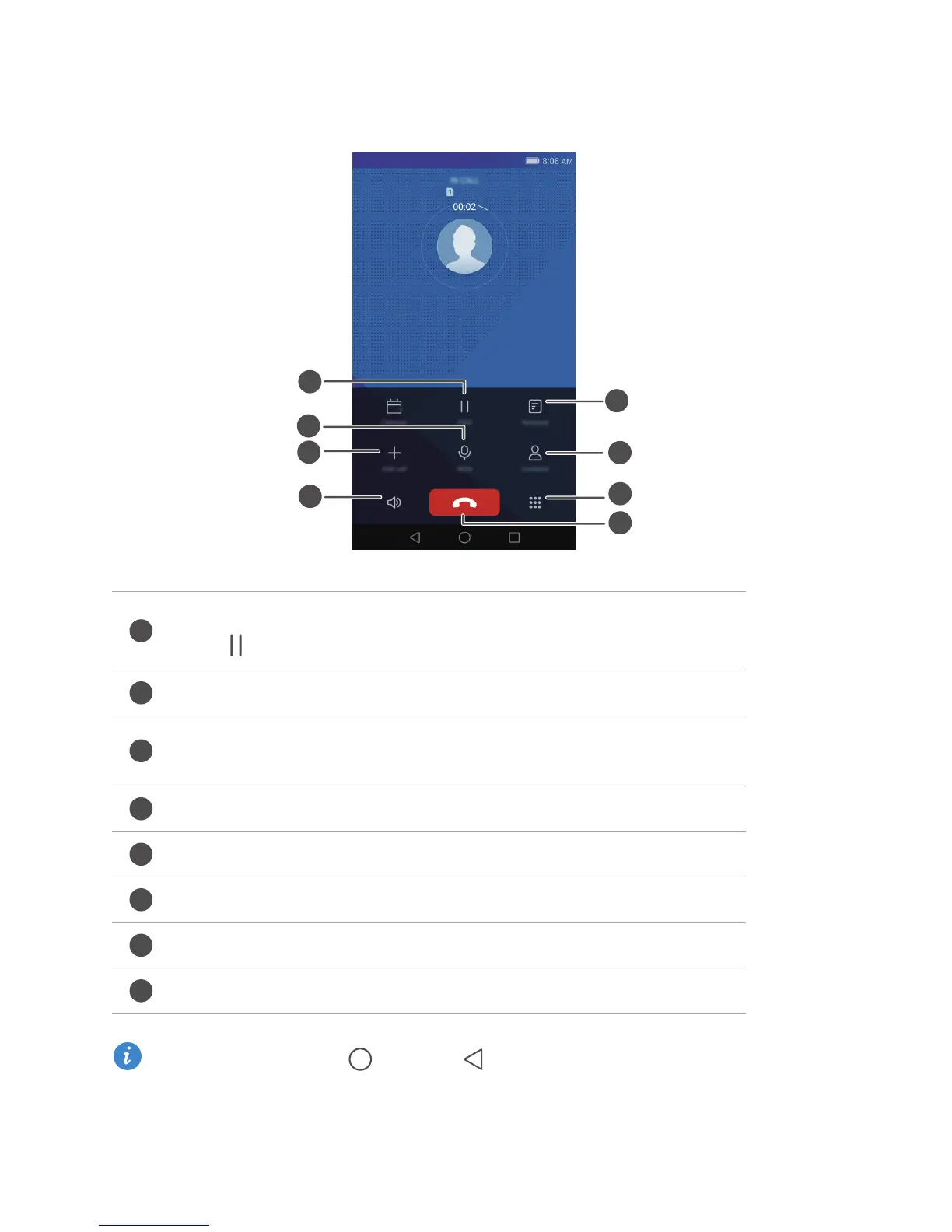
Place the current call on hold. To resume the call, touch
again. (Make sure your carrier supports this feature.)
2
Mute the call so that the other party can't hear you.
3
Start a three-way call. (Make sure your carrier supports this
feature.)
4
Activate the speaker for a hands-free call.
5
End the current call.
6
Open the dialler.
7
Display your contacts.
8
View your notes.
Calls and contacts
33
In-call menu
During a call, touch the Home or Return to hide the in-call menu. To return
to the menu, swipe down from the status bar to open the notification panel and then
touch Current call.



 To Next Page